+100 translated websites

Translate 1400 x cheaper than WPML’s Automatic Translation

extension for WPML | powered by chatGPT

Work with

1400 x cheaper

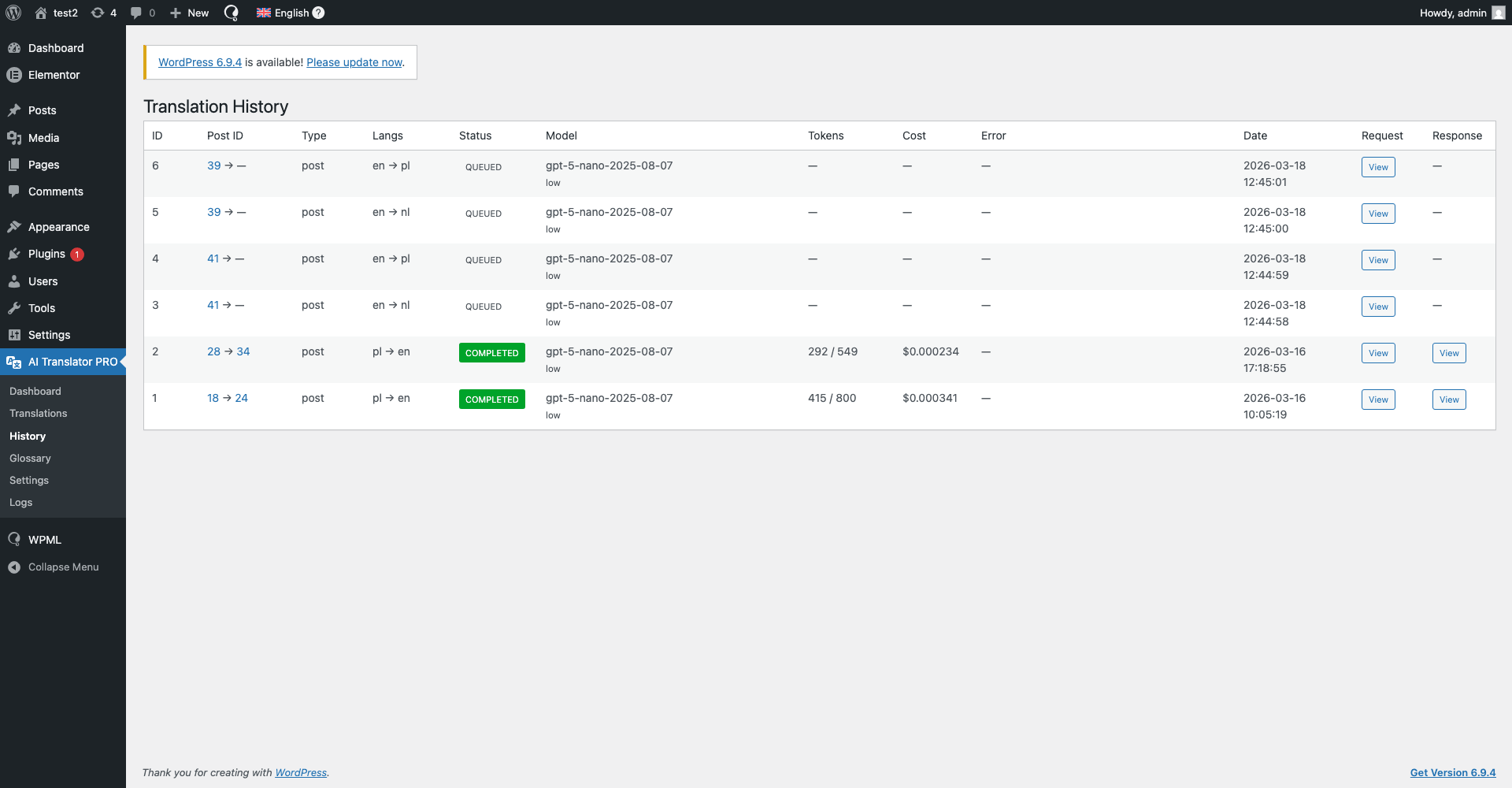
Translating 30 articles (3,000 words each) with WPML Automatic Translation (PTC) costs about €166, while the same content translated using this plugin with GPT-5-nano costs roughly $0.126 in tokens. You pay only for raw AI usage – no credits, no inflated per-word pricing, no hidden margins.

90 x faster

Manually translating 30 articles means copying ~3,000 words per post into a translation tool, pasting everything back, fixing formatting, handling SEO fields, slugs, excerpts, and metadata = ~15 minutes per article (~7.5 hours total). With this plugin, the same workload runs automatically in the background in a few minutes total, making it roughly 90× faster. With zero copy-paste and zero metadata handling.


NOT use this plugin if

You don’t use WordPress + WPML

This plugin is built only for WordPress websites using WPML – it won’t work with other CMSs or multilingual setups.

You’re happy overpaying for WPML Auto Translate

If you prefer paying premium prices for WPML credits instead of raw AI token costs, this plugin is not for you.

You enjoy manual copy-paste workflows

If you have plenty of time and like copying text back and forth between your site and translation apps – including fixing formatting and metadata – you won’t need this plugin.

Four simple steps to start

Start translating immediately without unnecessary configuration.

1

Download plugin, install & activate

Get the latest .zip file. Go to Plugins > Add New in your WordPress dashboard and upload the file.

2

Enter OpenAI API Key

Navigate to the plugin Settings > General and paste your api key.

2.5

Add website context (Optional)

Describe what your website is about and how it serves your audience.

3

Enter License Key

Navigate to the plugin Settings > API Key and paste your license key from this dashboard.

4

Translate

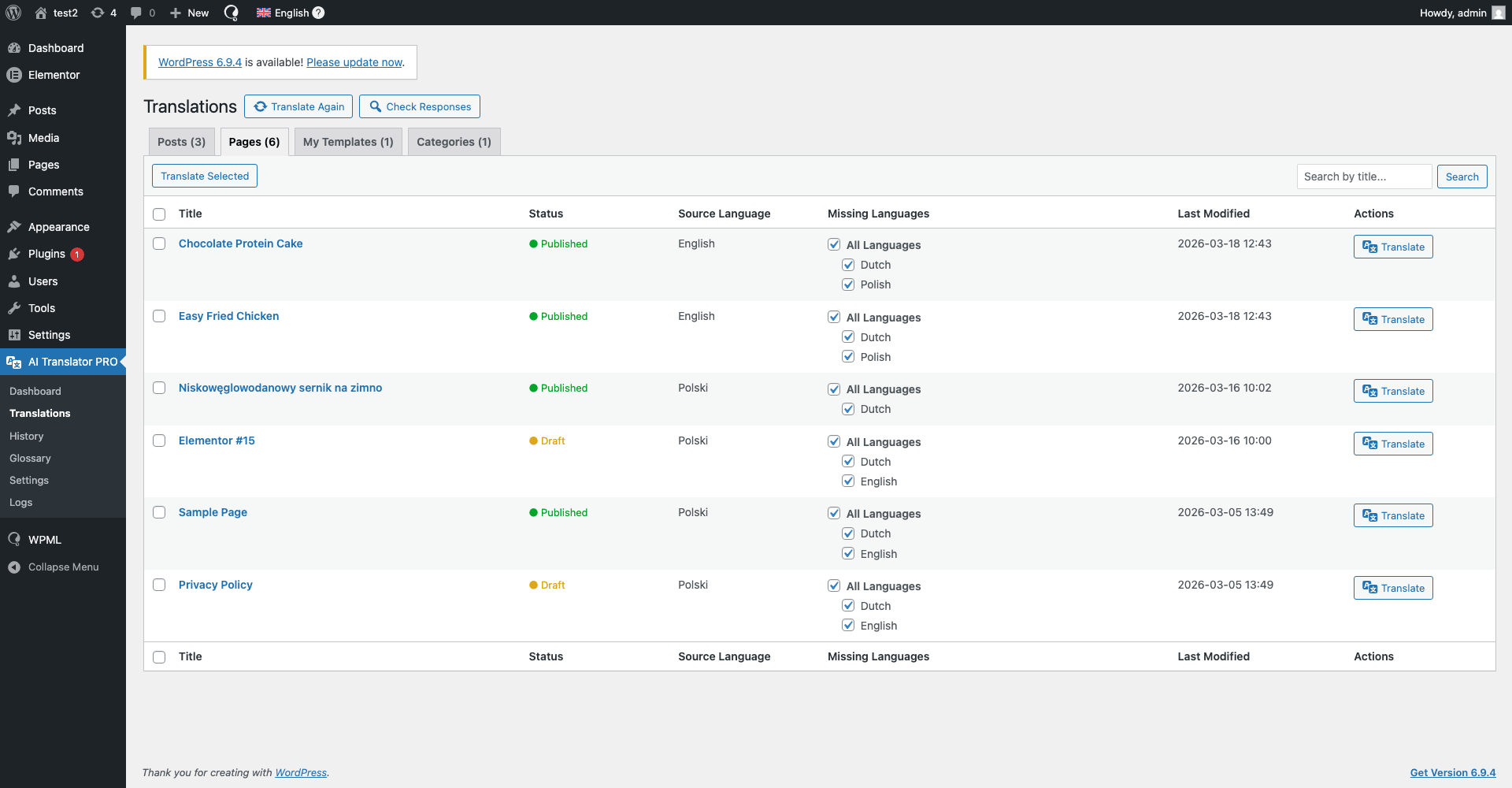
Select content and submit for translation.

Features

One-Click Translations

Translate entire posts, pages, and content types instantly – no copy-paste, no manual setup.

Context-Aware Translations

Add custom context inside the plugin – describe what your website is about, your tone of voice, and how you speak to your audience for more accurate translations.

Newest AI Models

Choose between GPT-5.2, GPT-5-mini, and GPT-5-nano to balance translation quality, speed, and cost.

Data Security

Your content is sent directly to OpenAI for translation – no intermediate servers, no third-party processing, no data reselling.

Custom prompt

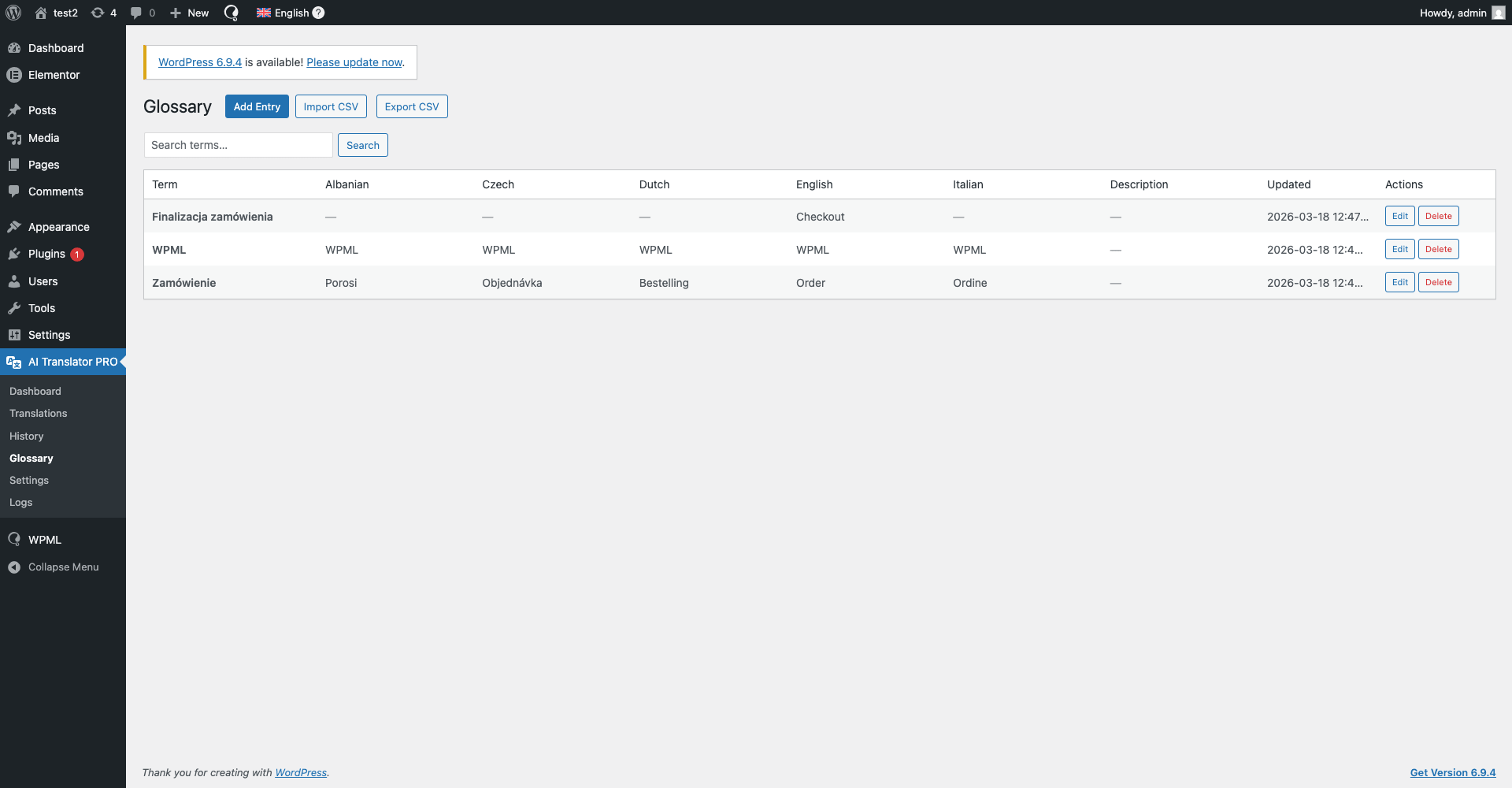
Use your own prompt for special actions or add a glossary to your translations.

Loved by developers and site owners

Simple, fast, and finally affordable automatic translations.

Laura Mitchell

Content Strategist

I love how natural the translations sound. It feels much closer to human translation than anything else I’ve tested with WPML.

James Carter

SaaS Founder

This plugin completely streamlined our localization workflow. The context-aware translations are noticeably better than standard auto-translate tools.

Daniel Hoffmann

SEO Consultant

Huge win for international SEO projects. Clean translations, no HTML issues, and full compatibility with WPML — exactly what I needed.

Anna Kowalczyk

Marketing Manager

This plugin saves me a huge amount of time when managing multilingual websites. The translations are consistent, and the ability to add context significantly improves quality.

Michał Nowak

WordPress Developer

The best automatic translation solution I’ve used with WPML so far. Easy to set up, fast, and gives full control over translated content.

Alexandre Dubois

Web Agency Owner

We implemented this plugin across multiple client sites and the results are excellent. Reliable, fast, and clearly built by someone who understands WordPress.

Hey, WordPress Dev

I’m Szymon. I’ve been coding for about 8 years, and honestly, I just enjoy sitting in my room and building things. Apps, plugins, side projects… especially the kind that make work easier, faster, or less annoying.

This plugin started as an internal tool for another project of mine – Wishgram. We wanted to reach more people with our blog in different languages, but startup budgets are tight and WPML Auto Translation was way too expensive for us. So I built my own solution for automatic translations. After using it for a while, I realized how ridiculously good it was. And at that point, keeping it to myself just didn’t make sense.

Pricing

No additional costs

Cancel at any time

Lifetime fallback version

Pro Plan

$25

,00

Yearly

$25,00 per site

1 domain

Unlimited translations

OpenAI GPT-5 GPT-5-mini GPT-5-nano

Gutenberg, Elementor

Yoast SEO, Rank Math SEO

1 year support

1 year updates

Lifetime fallback version

Pro 2 Plan

$45

,00

Yearly

$22,50 per site

Save -10%

2 domains

Unlimited translations

OpenAI GPT-5 GPT-5-mini GPT-5-nano

Gutenberg, Elementor

Yoast SEO, Rank Math SEO

1 year support

1 year updates

Lifetime fallback version

Pro 5 Plan

$95

,00

Yearly

$19,00 per site

Save -24%

5 domains

Unlimited translations

OpenAI GPT-5 GPT-5-mini GPT-5-nano

Gutenberg, Elementor

Yoast SEO, Rank Math SEO

1 year support

1 year updates

Lifetime fallback version

Pro 10 Plan

$125

,00

Yearly

$12,50 per site

Save -50%

10 domains

Unlimited translations

OpenAI GPT-5 GPT-5-mini GPT-5-nano

Gutenberg, Elementor

Yoast SEO, Rank Math SEO

1 year support

1 year updates

Lifetime fallback version

Free Plan

$0

,00

Yearly

Translate only to English

Unlimited translations

OpenAI GPT-5 GPT-5-mini GPT-5-nano

Gutenberg, Elementor

Yoast SEO, Rank Math SEO

Frequently asked questions (FAQ)

We’re here to help with all your questions and answers in one place. Can’t find what you’re looking for? Reach out to our support team directly.

What is LLM Automatic Translation?

LLM Automatic Translation is a WordPress plugin that works with WPML and automatically translates your website content using modern large language models (LLMs) via the OpenAI API.

Yes.

The plugin requires WPML and is designed to work exclusively with it. It will not function without WPML installed and activated.

No.

LLM Automatic Translation works exclusively with WPML and does not support any other multilingual plugins for WordPress.

The plugin will not work with alternatives such as (but not limited to):

  • Polylang

  • TranslatePress

  • Weglot

  • MultilingualPress

  • Any custom or proprietary multilingual solutions

WPML is a strict technical requirement.

Yes, you can set in it Settings -> Translation

Yes.

You must provide your own OpenAI API key to use the plugin. This ensures that:

  • translations are processed directly between your site and OpenAI

  • the plugin author never accesses your content or API usage

You can generate your API key in your OpenAI account dashboard:

  1. Log in to your OpenAI account

  2. Go to API Keys

  3. Create a new secret key

  4. Copy the key and paste it into the plugin settings in WordPress

Make sure your OpenAI account has an active billing method enabled.

No.

All content is sent directly from your WordPress site to OpenAI’s API.

The plugin developer does not receive, store, or process your content in any way.

The plugin can translate:

  • WordPress posts and pages

  • Custom fields

  • Content created with page builders such as Elementor

Only content you explicitly select for translation is processed.

The fallback version is the latest version of the plugin that was available at the moment your subscription started.

If your subscription expires:

  • you can continue using this fallback version indefinitely

  • you will no longer receive updates or support

  • the plugin will not be disabled or blocked

This guarantees permanent access to a version you already paid for, regardless of future updates.

After expiration:

  • the plugin continues to work in the fallback version (the version available at the start of your subscription)

  • updates and support are disabled

  • new features and bug fixes are no longer available

You can renew your subscription at any time to regain access to updates and support.

Licenses are domain-based:

  • 1 license = 1 domain

  • Available packages: 1, 2, 5, or 10 domains

A license may not be shared across multiple domains beyond the purchased limit.

Yes, but only within your purchased domain limit.

License management is handled through your account in the licensing application.

No.

LLM Automatic Translation is a paid plugin offered via yearly subscription.

Please note:

OpenAI API usage is billed separately by OpenAI and is not included in the plugin subscription.

No.

Translations are generated by AI models and may require review.

We strongly recommend manually reviewing translations before publishing them on a live website.

Yes.

You can translate multiple pages or posts, depending on your WPML configuration and OpenAI API limits.

  • Translations are stored only in your WordPress database

  • Technical logs (if enabled) are stored locally on your server

  • No data is sent to or stored by the plugin author

No.

Due to the digital nature of the plugin and immediate access after purchase, all sales are final.

Please review the documentation before purchasing.

Yes.

The plugin processes content under the responsibility of the website owner and does not collect or store personal user data.

The plugin depends on third-party services.

If changes occur, updates may be required to maintain compatibility. Updates are available only with an active subscription.

During an active subscription, support is available via:

szymon.zawadzki@llm-automatic-translation.top

Translate 1400 x cheaper right now

Get access to a plugin that will translate your website quickly, cheaply, and securely.

Featured on