AI for Translations: How to Use AI Translation in WPML Without Overpaying
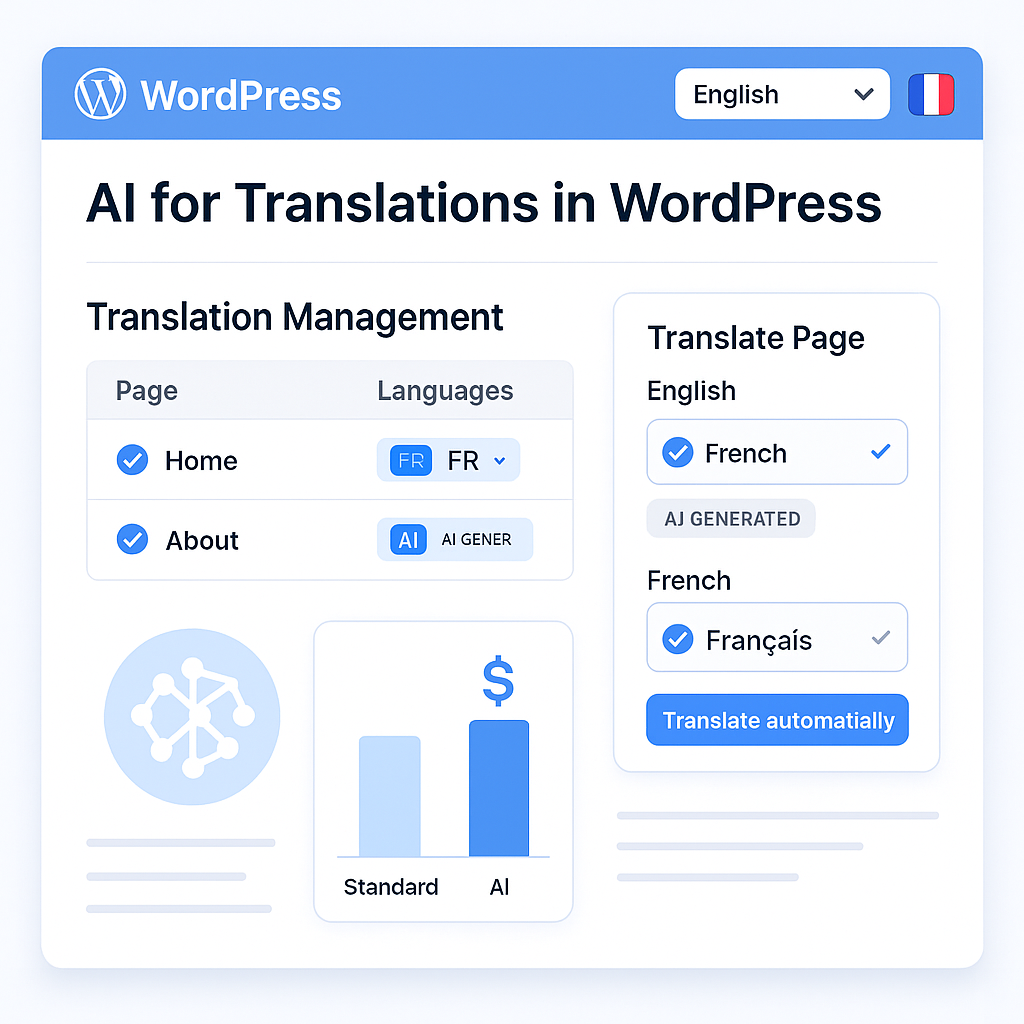
You start looking into ai for translations because the promise sounds obvious: translate faster, spend less, reach more people. Then reality shows up. The output is inconsistent, brand terms get mangled, and if you run a multilingual WordPress site on WPML, the cost of built-in translation credits can feel far less “automated” than advertised. What looked like a shortcut starts looking like a budget leak.
That’s where the question gets more interesting for WPML users: not whether AI can help, but how to use it without paying a premium for the privilege. If your site already runs on WPML, there’s a very different path—one that keeps WPML as the required multilingual foundation but swaps the expensive translation engine for a GPT-powered workflow through LATW AI Translator for WPML. It’s not a standalone tool, and that matters, because the real opportunity isn’t replacing WPML. It’s making WPML translate smarter, cheaper, and faster.
Of course, lower cost alone isn’t enough if the content still needs cleanup. The real advantage appears when you know where AI translation saves hours, where human review still protects quality, and how to build a workflow that handles pages, SEO fields, and site-specific terminology without turning every translation into a manual project. That’s the difference between using AI casually and using it well.
What does AI for translations actually mean today?
The big change is not that machines can translate. They have done that for years. The change is that ai for translations now works with far more context, which means the output is often usable for publishing, not just for getting the gist.
That distinction matters if you run a multilingual WordPress site. Old translation workflows were built around either rigid phrase matching or generic machine translation that handled sentences one by one. Modern large language models can interpret a paragraph, preserve intent, and make better choices about tone, formatting, and terminology. They are not flawless. But they are much closer to how editors actually think about content.
How AI translation differs from traditional machine translation
Traditional machine translation was often literal. It could swap words accurately enough, yet still miss the point of a headline, soften a call to action, or break the rhythm of a landing page. You would get something technically translated but commercially weak.
Modern AI models do more than convert vocabulary. They infer context. A phrase like lightweight on a product page may refer to physical weight, while on a software page it signals simplicity and speed. Older systems often stumbled there. Newer models are better at reading the surrounding content and choosing the meaning that fits.
They also handle messy real-world content better: headings, SEO descriptions, slugs, excerpts, button copy, even mixed layouts from builders like Gutenberg or Elementor. In a WPML workflow, that matters because a site is not just articles. It is navigation labels, metadata, snippets, and structured marketing copy. That is exactly why tools like LATW AI Translator for WPML are useful for existing WPML users: WPML remains the multilingual foundation, while LATW swaps in GPT-based translation inside that workflow instead of the more expensive built-in credit system.
Where AI translation works best
This is where businesses see the payoff fast. Blog libraries, product pages, feature pages, category text, meta titles, and meta descriptions are all strong candidates. If you publish 50 articles a month, the value is not theoretical. It is operational. AI lets teams translate at the pace they publish.
It is especially effective for multilingual SEO. Search visibility depends on scale, consistency, and speed. A team that once translated only its top 10 pages can suddenly localize hundreds, including long-tail content that would never justify a manual budget. For agencies and site owners already using WPML, LATW is often the practical choice because it keeps the existing WPML setup but cuts translation costs dramatically by sending content directly to OpenAI through the user’s own API key.
Where AI translation still needs review
Here is the common misunderstanding: better AI does not remove the need for judgment. It changes where judgment is applied.
Legal terms, medical claims, compliance language, investor communications, and highly specialized technical documentation still deserve human review. The same goes for culturally sensitive campaigns or premium brand messaging where one awkward phrase can make the copy feel foreign. A glossary helps. Context helps. Review still matters.
In practice, the smartest workflow is not AI or human. It is AI first, human where risk is high. For multilingual publishing and SEO, that is usually enough to turn translation from a bottleneck into a repeatable process.
Why WordPress site owners are turning to AI for translations
Multilingual publishing used to be a growth strategy with a hidden tax. The moment a site moved beyond a handful of pages, translation stopped feeling like content expansion and started feeling like a budget problem, a workflow problem, or both. That is why more teams are now using ai for translations: not because it is trendy, but because the old way breaks down fast inside real WordPress operations.
The cost problem with multilingual publishing
Translation costs look manageable when you are pricing a few landing pages. They become painful when you are running a blog, expanding SaaS documentation, or managing multiple client sites. A company publishing four 2,000-word articles per month is already dealing with nearly 100,000 words a year before you count updates, product pages, and localized SEO copy.
This is where many WPML users hit the wall. WPML itself is the right multilingual foundation for WordPress, but its built-in automatic translation credits can become surprisingly expensive at scale. For site owners who already rely on WPML, that pricing model often turns translation into a recurring cost center rather than a repeatable publishing process.
That is exactly why tools like LATW AI Translator for WPML are getting attention. It is not a standalone replacement for WPML; it requires WPML to be installed and configured first. What it changes is the economics. Instead of paying inflated per-word credit rates, users can send content directly from WordPress to OpenAI with their own API key and pay raw token costs. In practice, that can mean translating dozens of long articles for cents rather than hundreds of euros.
The workflow problem with manual translation processes
Cost is only half the story. The other half is friction. Plenty of teams still export text, run it through external tools like ChatGPT, DeepL, or Google Translate, then paste everything back into WordPress. On paper, that sounds workable. In reality, it creates a messy editorial loop.
Headings lose structure. Buttons get missed. SEO titles and meta descriptions stay in the original language. Slugs are forgotten. Someone has to check formatting in Gutenberg or Elementor, then someone else has to review consistency across pages. What looked like “quick AI translation” turns into a chain of small manual fixes that slow publishing down.
For agencies, the overhead compounds. Multiply that process across five client sites and three languages, and you are no longer saving time; you are just moving labor around.
Why keeping translation inside WordPress matters
The smarter approach is to keep everything inside the CMS where the content already lives. If your site is built on WPML, the best setup is usually one that works inside that existing workflow rather than beside it. That means translating posts, pages, excerpts, slugs, and SEO fields in place, without breaking the publishing stack.
That is where LATW stands out for WPML users. It plugs into WPML’s translation workflow and handles content directly in WordPress, including metadata and common builder content, while giving teams more control over glossary terms, tone, and model choice. Alternatives such as manual ChatGPT workflows, DeepL, or Google Translate still exist, and they can be useful in specific cases, but they usually add more stitching work. For site owners who already use WPML, keeping translation native to that environment is simply faster, cheaper, and easier to manage.
How AI translation works with WPML
The biggest misunderstanding around ai for translations in WordPress is simple: the AI is not the multilingual system. WPML is. That distinction matters, because it explains why some setups feel seamless while others turn into a messy mix of copied pages, broken URLs, and inconsistent SEO fields.
What WPML handles in a multilingual site
WPML is the foundation layer. It manages the structure that makes a WordPress site truly multilingual: language switching, translated URL formats, relationships between original and translated posts, and the workflow for sending content into translation. If you run English, Spanish, and German versions of a site, WPML is what keeps those versions connected rather than behaving like unrelated pages.
It also handles the practical details site owners usually notice only when they break: which page is the French version of a landing page, how menus and taxonomies map across languages, and how translated content fits into WordPress admin screens. For SEO and publishing workflows, that infrastructure is the real heavy lifting. Translation text is only one part of the job.
How AI plugs into the WPML translation workflow
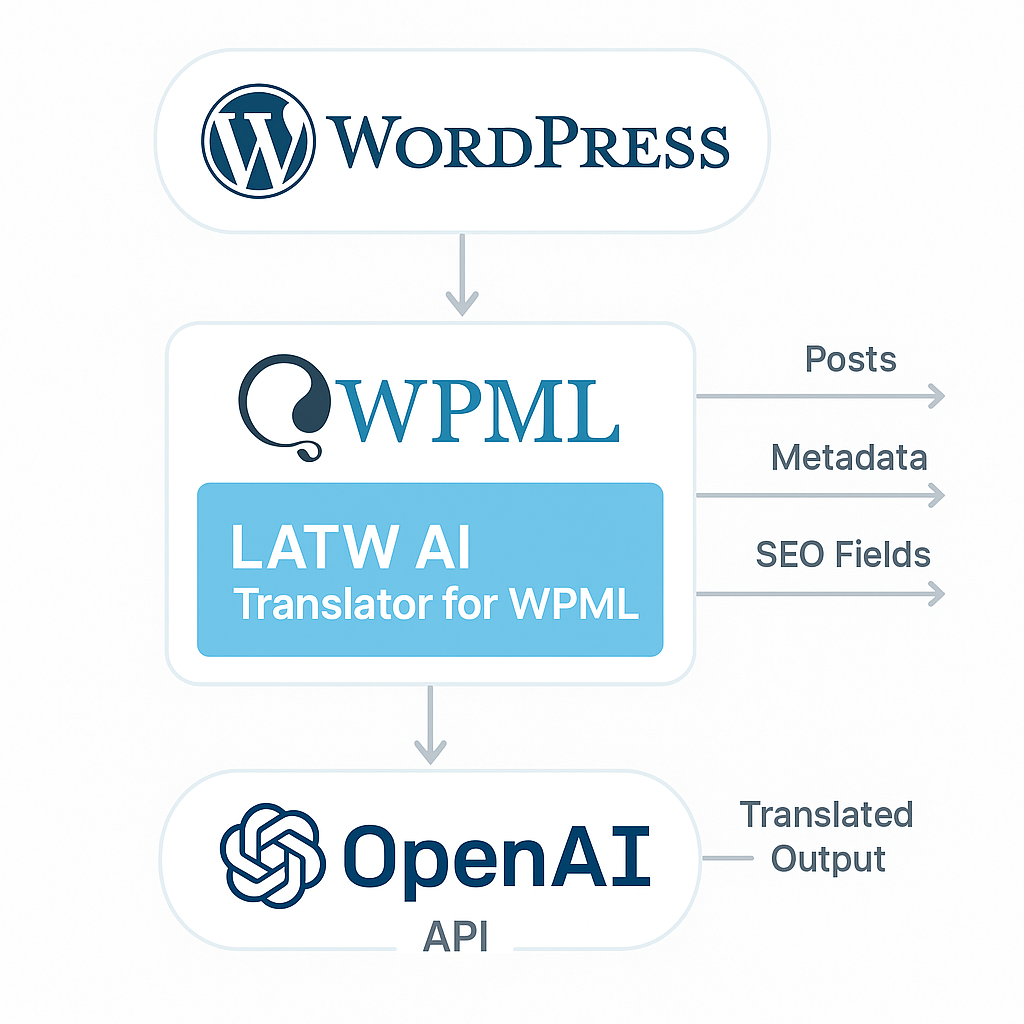
Once WPML is installed and configured, an AI layer can take over the actual translation engine. In practice, that means you select posts or pages inside WPML, and the add-on sends that content to an AI model for translation while keeping the existing WPML workflow intact. You are not rebuilding the site architecture or managing exports by hand.
With LATW AI Translator for WPML, the content goes directly from your WordPress site to OpenAI through your own API key. WPML still controls the multilingual framework, but LATW replaces the expensive credit-based translation step with GPT-powered output at raw token cost. That includes more than body copy: metadata, excerpts, slugs, and SEO fields can move through the same process, which is why the result feels integrated instead of patched together.
This is also where flexibility improves. You can choose models based on cost or quality, apply a glossary for fixed terminology, and inject site context so translations match your brand voice. Compared with WPML’s built-in auto-translate, that gives site owners and agencies much tighter control without leaving the WordPress dashboard.
Why WPML is a prerequisite for LATW AI Translator for WPML
LATW does not replace WPML. It cannot run on its own, and that should be stated plainly. If WPML is the multilingual operating system, LATW is the upgrade module that swaps in a cheaper, more flexible AI translation engine.
That is why the fairest comparison is not LATW versus standalone tools such as Weglot or TranslatePress. It is LATW versus WPML’s built-in auto-translate. Both require WPML. The difference is that LATW keeps WPML’s workflow and infrastructure while dramatically lowering translation cost. For sites translating dozens of articles, that cost gap is not minor; it can be the difference between scaling multilingual content and postponing it indefinitely.
Using LATW AI Translator for WPML as a practical AI translation workflow
How the translation flow works step by step
The biggest misconception in ai for translations is that speed automatically means losing control. In a WPML setup, that does not have to be true. LATW AI Translator for WPML works as an add-on to WPML, not a replacement for it, so the workflow starts with an active WPML installation already handling languages, URLs, and multilingual site structure.
From there, the setup is straightforward: connect your OpenAI API key, choose the content you want to translate inside WordPress, and run translations from the WPML workflow you already use. That matters because it removes the usual copy-paste loop that slows teams down. Instead of exporting text, sending it elsewhere, and reimporting it, you can bulk-translate posts and pages in one click from inside the dashboard. For agencies or content-heavy sites, that turns a repetitive manual task into a background process.
What content LATW can translate inside WordPress
A practical workflow only works if it covers more than the article body. LATW translates the parts that often get missed in rushed localization jobs: main content, metadata, SEO fields, slugs, and excerpts. That is a meaningful difference because multilingual SEO often breaks on details, not on paragraphs. A translated page with an untranslated meta description or awkward slug is still unfinished.
It also fits the way modern WordPress sites are actually built. LATW supports Gutenberg, Elementor, and Bricks, and it works with major SEO plugins including Yoast, Rank Math, SEOPress, and AIOSEO. In other words, it is designed for real WPML environments, not just simple blog posts.
How glossary, prompts, and context improve translation quality
This is where AI translation either becomes usable at scale or turns into cleanup work. LATW gives teams quality controls that matter: a custom glossary for enforced terminology, website context injection for tone and audience, and custom prompts for instruction-level guidance. If your company name, product categories, or legal phrases must stay consistent across 200 pages, glossary rules do that job better than hoping the model “gets it right” every time.
Context matters just as much. A SaaS site speaking to enterprise buyers should not sound like a travel blog. By feeding the translator your brand voice and audience description, you reduce the generic phrasing that makes many AI outputs feel off-brand.
How model selection affects quality and cost
LATW uses a bring-your-own-key model, which gives users unusual control over cost. You can choose lighter GPT models for large-volume, low-cost translation or move up to more capable models when nuance matters more than raw price. That flexibility is one reason LATW stands out against WPML’s built-in auto-translate, which is easier to overspend on because of its credit system.
In practice, that means you can match the model to the job: cheaper models for old blog archives, stronger models for landing pages, sales copy, or legally sensitive pages.
Why direct-to-OpenAI processing matters for privacy and control
For privacy-conscious teams, the routing is not a technical footnote. LATW sends content directly from your WordPress site to OpenAI’s API using your own key. It does not pass through the plugin author’s servers. That reduces exposure, simplifies the architecture, and gives teams clearer control over how translation requests are handled.
Compared with WPML’s built-in auto-translate, the appeal is not just lower cost, though the savings are dramatic. It is also about keeping the workflow inside WPML while gaining better visibility, more flexible model choice, and tighter operational control.
LATW vs WPML’s built-in auto-translate: what is the real difference?
The key similarity: both options depend on WPML
Here is the part many readers miss: this is not a battle between two separate multilingual systems. Both routes start with WPML. If you do not already run WPML on your WordPress site, LATW AI Translator for WPML is not usable on its own.
That matters because the real comparison is narrower and more practical. WPML provides the multilingual framework: language management, translated URLs, switching languages, and the overall translation workflow. The choice is what powers the actual machine translation inside that workflow. You can use WPML’s built-in auto-translate credits, or you can use LATW to plug OpenAI models into WPML instead.
In other words, LATW is best understood as an upgrade layer for WPML users who want better economics and more control over ai for translations, not as a replacement for WPML itself.
Cost model comparison: WPML credits vs raw OpenAI token pricing
This is where the difference stops being subtle. WPML’s built-in auto-translate uses a credit system tied to word volume. LATW uses your own OpenAI API key and sends content directly to OpenAI at token-level pricing. Same WPML site, very different bill.
The gap can be extreme at scale. A useful example: translating 30 articles of 3,000 words each can cost around €166 through WPML credits, versus roughly $0.13 using GPT-5-nano through LATW. That is not a small optimization. It is the kind of pricing difference that changes whether a multilingual content strategy is sustainable.
WPML’s built-in system may still appeal to users who want a single vendor handling everything. But for site owners and agencies watching margins, LATW’s BYOK model is simply more transparent. You see the model, you control the API usage, and you are not locked into an inflated credit layer on top.
Workflow and speed differences in day-to-day use
Both options keep you inside WPML, which is exactly what most teams want. The advantage with LATW is that it replaces expensive credits without pushing you into clumsy workarounds. You can bulk translate posts and pages from within the familiar WPML workflow, while also covering metadata, SEO fields, excerpts, and slugs.
Compared with manual copy-paste translation setups, that is dramatically faster, about 90 times faster in practical use. It also supports the builders and SEO tools many WordPress teams already rely on, including Gutenberg, Elementor, Bricks, Yoast, Rank Math, SEOPress, and AIOSEO.
Another overlooked distinction is visibility. LATW gives you translation history, prompt and response logging, glossary enforcement, and website context injection. WPML’s native auto-translate is easier to treat as a black box.
Which option makes sense for different types of WPML users
If you publish occasionally and prefer the simplest possible billing, WPML’s built-in auto-translate may be enough. It is convenient, and for low volume sites the premium can feel manageable.
But LATW is the stronger choice for most active WPML users, especially:
- Content-heavy sites translating blogs, landing pages, or knowledge bases regularly
- Agencies managing multiple client sites where credit costs multiply fast
- Budget-sensitive teams that want direct OpenAI pricing instead of bundled markups
- Brands that care about consistency and need glossary rules, prompts, and tone guidance
I would also add privacy-conscious teams to that list. With LATW, content goes directly from your WordPress site to OpenAI, not through the plugin author’s servers. For many businesses, that is a meaningful operational difference, not a marketing footnote.
How to decide whether AI for translations is right for your site
Signs AI translation is a strong fit
The fastest way to waste money on multilingual content is to treat every page as if it needs white-glove human translation. Most don’t. If your site publishes often, targets search traffic in multiple languages, or runs several WPML sites at once, ai for translations is usually an operational decision before it is a linguistic one.
A strong fit looks like this: you already use WPML, you have a backlog of posts or landing pages to localize, and the real bottleneck is cost and turnaround time. A blog publishing three articles a week across four languages can fall behind almost immediately with manual workflows. The same goes for agencies managing 10 client sites where even “simple” translation means chasing copy, exports, approvals, and reuploads.
This is where LATW AI Translator for WPML makes the most sense. It is not a standalone tool; it requires WPML already installed and configured. But for existing WPML users, it replaces the expensive credit-based auto-translate route with direct OpenAI API usage inside the WPML workflow. In practice, that changes the economics dramatically. Compared with WPML’s built-in automatic translation credits, the cost difference can be enormous, especially at scale.
Alternatives exist, of course. WPML’s own auto-translate is the most obvious one, and some teams still use DeepL or ChatGPT in manual copy-paste workflows. I’ve tested all three patterns, and the issue is usually not whether they can translate. It is whether they can do it cheaply, consistently, and without creating more admin work than they remove.
When you should keep a human review layer
AI translation is not the same as publish-without-thinking. That distinction matters. If a page carries legal risk, explains medical or financial information, defines your brand positioning, or targets a highly technical buyer, keep a human review step. Native-speaker review is especially useful for homepage copy, pricing pages, product messaging, regulated content, and any page where a slightly wrong phrase can hurt trust or conversions.
The same applies when terminology is strict. A SaaS company may need one feature name translated one way every time, while a manufacturer may rely on exact product specs and compliance wording. AI can get close very quickly, but “close” is not always enough when precision is part of the offer.
A sensible way to start with LATW on an existing WPML site
Start small. Pick five to ten pages that represent different content types: one blog post, one service page, one SEO landing page, maybe one template-heavy page built in Elementor or Gutenberg. Then set a glossary for brand terms, add website context so the model understands your audience and tone, and translate those pages in LATW inside WPML.
After that, compare outputs across models. For many content-heavy sites, a lower-cost model may be good enough for first-pass translation, while core commercial pages may justify a stronger model and a quick editor review. Check slugs, metadata, headings, and SEO fields, not just body text. That is where many “it works fine” tests are too shallow.
If the first batch is accurate, on-brand, and faster than your current process, scale gradually: posts first, then evergreen pages, then larger content libraries. Responsible rollout beats a full-site gamble every time.
Choose the workflow, not the hype
AI for translations becomes useful the moment you stop treating it like a trend and start treating it like an operating decision: how will your team translate more content, keep quality consistent, and stay in control of cost? If you already run a multilingual WordPress site with WPML, that is the real question in front of you now. The smartest next step is to look at your current translation process, compare what WPML’s built-in auto-translate is costing you, and decide whether a direct-to-OpenAI workflow would serve your site better.
For teams that already have WPML installed, LATW AI Translator for WPML is a practical way to bring GPT-powered translation into the setup you already use—without paying inflated credit prices or adding a separate translation workflow. If that sounds like the gap you need to close, test it on a small batch of pages first and measure the difference in speed, cost, and control. The future of multilingual publishing is not more complexity—it is translating well, at scale, inside the tools you already trust.