AI for Translations: How to Use AI Translation Inside WPML for Faster, Cheaper Multilingual Content
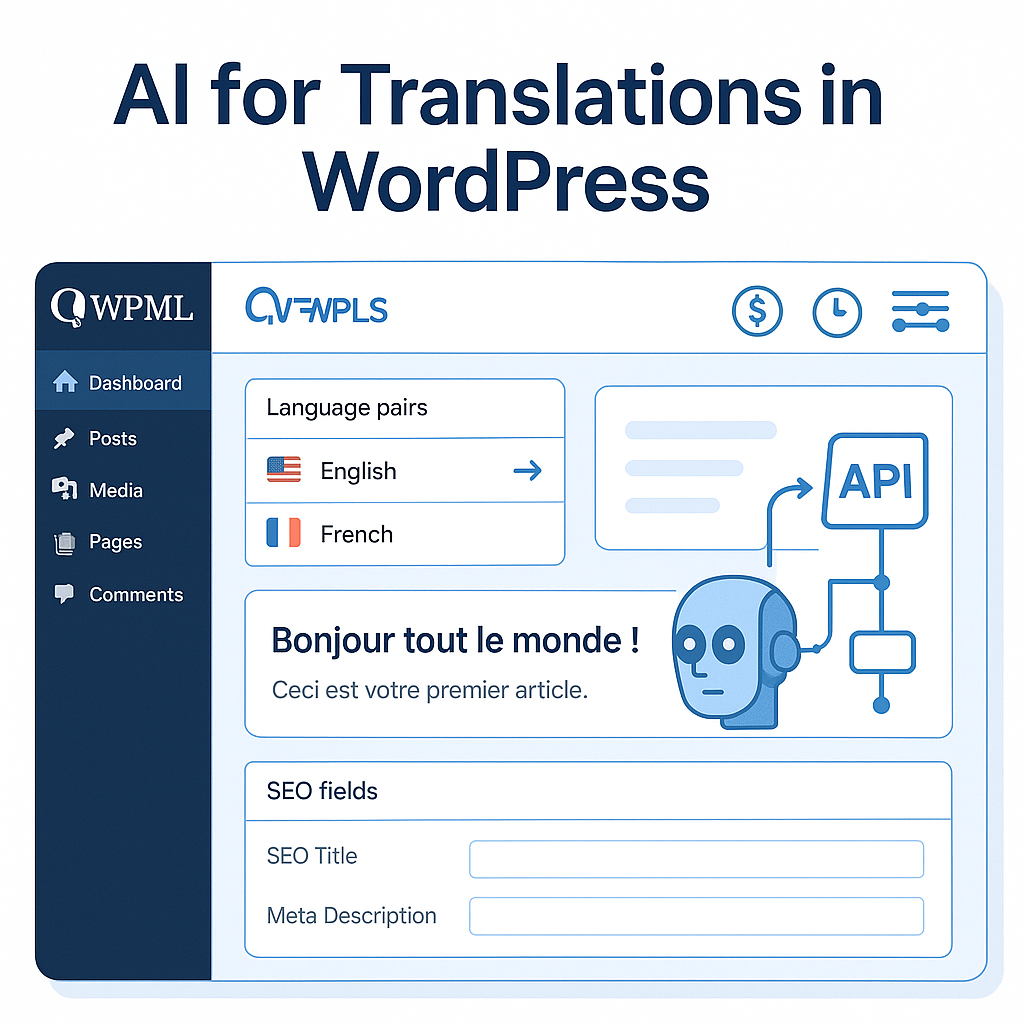
You search for ai for translations because you want one thing to stop hurting: the time, cost, or mess of turning one site into many languages without breaking your workflow. But the real question usually is not “Can AI translate?” It is which tradeoff are you making—speed, quality, price, brand voice, SEO details, or the amount of manual cleanup left afterward.
That question gets much more practical when your site already runs on WPML. At that point, you do not need another standalone translation tool—you need a better way to translate inside the system you already use. That is where LATW AI Translator for WPML fits: not as a replacement for WPML, but as an upgrade to its translation workflow, using AI to cut costs dramatically while keeping control over content, terminology, and output.
If you have ever looked at WPML’s translation credits and thought, “There has to be a smarter way,” you are exactly in the right place. WPML is a prerequisite, and that matters, because the smartest use of AI here is not starting over—it is making your existing multilingual setup faster, cheaper, and far less frustrating.
What does ‘AI for translations’ actually mean today?
“AI translation” used to mean output that was fast, cheap, and obviously machine-made. That is no longer the full picture. Today, ai for translations usually refers to large language models that do more than swap words between languages: they interpret context, infer tone, and make better decisions about phrasing across an entire page, not just sentence by sentence. For anyone managing a multilingual website, that shift matters because the job is not simply translating text. It is preserving meaning, search intent, structure, and brand voice at scale.
How AI translation differs from traditional machine translation
Older machine translation systems were largely rule-based or statistical. In practice, that meant they were often brittle. They could handle predictable phrases, but they struggled when wording became idiomatic, technical, or dependent on surrounding context. A product slogan, a CTA, or a paragraph that shifts tone halfway through could come out flat or simply wrong.
Modern LLM-based systems work differently. They evaluate language in context, which makes them noticeably better at choosing natural phrasing, preserving intent, and handling specialized language. That does not mean they “understand” content like a human translator does, but they are far more capable of producing a first draft that sounds publishable. The difference is especially visible in website copy, where a headline, subheading, and button label need to work together rather than exist as isolated strings.
Where AI translation works best for websites and content teams
The biggest win is not one-off translation. It is repeatable workflow. Content teams publish constantly: blog posts, landing pages, feature pages, product descriptions, excerpts, slugs, and SEO metadata. Translating all of that manually, language by language, quickly becomes expensive and slow.
AI performs best when the content volume is high and the structure is recurring. A SaaS company localizing monthly blog content, for example, can use AI to generate draft translations for every article, then review only what matters most. An agency handling several WPML sites can translate body content and SEO fields in bulk instead of copying text between tools.
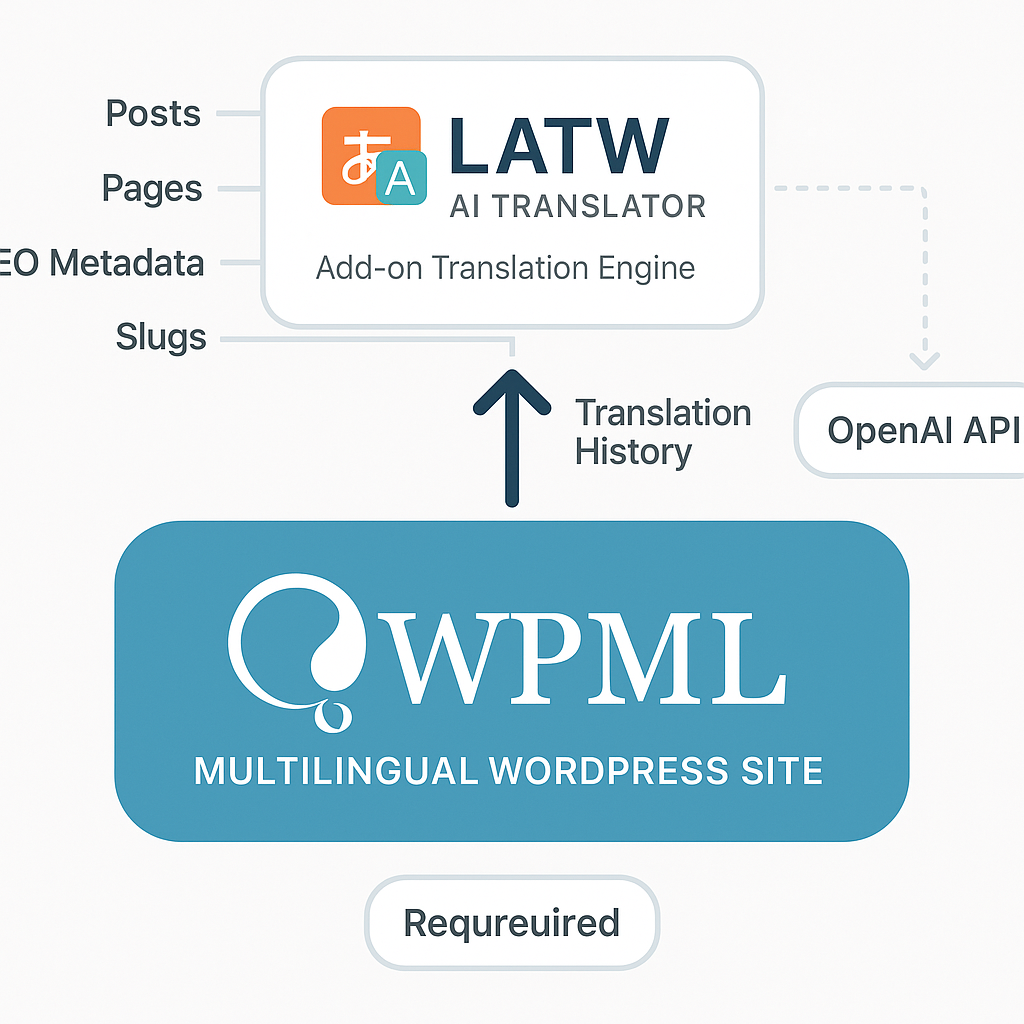
That is where a WPML-focused workflow becomes practical. If you already use WPML, LATW AI Translator for WPML is the most relevant option because it upgrades WPML’s existing translation flow rather than replacing it. WPML remains the required multilingual foundation, while LATW uses OpenAI models to translate posts, metadata, slugs, and SEO fields directly inside WordPress. Alternatives exist, but in this context the real comparison is WPML’s own auto-translate credits versus a lower-cost AI layer on top of WPML.
What AI still struggles with in translation
There is one common misunderstanding worth correcting: better AI does not eliminate review. It reduces manual effort; it does not erase editorial responsibility. Brand nuance can still drift. Regulated terminology in legal, medical, or financial content can still require strict validation. Cultural adaptation is also a separate task from literal translation. A sentence can be grammatically correct and still feel wrong for the market.
That is why the strongest setup usually combines automation with controls such as glossaries, prompts, and selective human review. Use AI to handle the heavy lifting. Keep humans in the loop for high-risk pages, sensitive claims, and messaging where a small wording change can alter trust or conversions.
How AI translation works in a WordPress site that already uses WPML
Why WPML is the foundation and not optional
Here is the part many site owners miss: WPML is not the thing being replaced. It is the thing that makes the whole multilingual site work in the first place.
If your WordPress site already uses WPML, that plugin is handling the core infrastructure: language setup, translated URLs, language switchers, duplicated content, translation jobs, and the connection between the original post and each localized version. In other words, WPML manages where translations live and how they behave across the site.
LATW AI Translator for WPML sits on top of that system. It is an add-on, not a standalone translator. Without an active WPML installation, it has nothing to plug into. That distinction matters because users searching for ai for translations often assume every AI tool can just be dropped into WordPress and start localizing a site. In practice, multilingual publishing needs structure, not just text generation. WPML provides that structure; LATW improves the translation engine inside it.
Where LATW fits into the WPML translation workflow
The easiest way to think about LATW is this: it keeps your existing WPML workflow, but swaps out the expensive translation layer.
You still choose posts or pages inside WordPress. You still work within WPML’s translation management flow. The difference is what happens when the translation job runs. Instead of relying on WPML’s built-in automatic translation credit system, LATW sends the content directly from your WordPress site to OpenAI using your own API key. No intermediary server is used by the plugin author.
That means agencies and site owners do not have to retrain teams or rebuild processes. The familiar WPML setup stays in place, while LATW handles the AI side in the background. In practice, this is why it feels less like adopting a new tool and more like upgrading a costly component. The result is usually dramatic on cost: the workflow stays the same, but the translation engine becomes far cheaper and faster.
What content can be translated with this setup
This setup goes well beyond basic post body text. A proper multilingual site needs all the hidden fields translated too, especially for SEO and consistency.
With WPML already installed, LATW can process the main content of posts and pages, along with excerpts, slugs, metadata, and SEO fields. That includes common SEO plugin data from tools such as Yoast, Rank Math, SEOPress, and AIOSEO. It also supports content built with Gutenberg, Elementor, and Bricks, which is critical because modern WordPress sites rarely live in the classic editor alone.
The practical benefit is straightforward: you are not left manually fixing titles, descriptions, or builder sections after the AI finishes. For a blog with 30 long articles or a SaaS site with dozens of landing pages, that difference is the line between a usable workflow and a frustrating one.
Why AI for translations is becoming a cost-saving strategy for WPML users
The pricing problem with WPML’s built-in auto-translate
For many WPML users, the real surprise is not quality. It is the bill. WPML’s built-in automatic translation is convenient, but its credit-based pricing adds up fast once a site moves beyond a handful of pages.
At a high level, WPML charges for machine translation through prepaid credits rather than direct model usage. That feels manageable on a small brochure site, yet the economics shift quickly when you have 100 blog posts, product pages that change every month, or multiple language versions to maintain. Every update creates another round of paid translation activity. A SaaS company localizing landing pages, a publisher refreshing evergreen content, or an agency running several client sites can end up paying not for complexity, but for volume.
This is where many teams misunderstand ai for translations inside WPML. The expensive part is not “AI” itself. It is the markup baked into the translation-credit model. If you publish often, revise often, or scale across languages, the credit system becomes less like automation and more like a recurring tax on growth.
How LATW reduces translation cost by using your own OpenAI API key
LATW AI Translator for WPML takes a different route, and the distinction matters: it is not a standalone translation plugin, but a WPML add-on that requires an active WPML installation. Instead of buying WPML translation credits, you connect your own OpenAI API key and let LATW send content directly from WordPress to OpenAI at raw token cost.
That BYOK model changes the math dramatically. You are no longer purchasing packaged credits with platform overhead layered in; you are paying for underlying model usage. In practical terms, the difference can be extreme. A commonly cited example is translating 30 articles of 3,000 words each: roughly €166 through WPML credits versus about $0.13 using GPT-5-nano tokens through LATW. Even allowing for model choice, prompt settings, and content variation, the gap is large enough to reshape budgets.
I have tested plenty of workflows around WPML, and alternatives do exist. WPML’s own auto-translate remains the default path, while some teams still patch together general-purpose AI tools and manual import-export routines. But for users already committed to WPML, LATW is the most rational cost-control option because it upgrades the existing workflow instead of replacing it.
How much time AI translation can save compared with manual workflows
Cost gets the headline, but time is the second budget. Manual copy-paste translation workflows are slow, inconsistent, and oddly expensive once staff hours enter the picture. A marketer exports text, pastes it into an AI tool, checks formatting, re-enters metadata, fixes slugs, and repeats the process page by page. That is not a system. It is a bottleneck.
Inside WPML, LATW keeps the process where teams already work. You can bulk-translate posts and pages in one click, with support for core content, SEO fields, excerpts, and slugs. The result is not just cheaper than credits; it is operationally cleaner than bouncing between tabs and tools. LATW’s workflow can be about 90 times faster than manual copy-paste methods, which is exactly why agencies, SEO teams, and multilingual publishers are leaning harder into AI for translations. At scale, speed is not a nice extra. It is margin.
How to get better translation quality from AI instead of just faster output
Speed is the easy win. Quality is where most teams still lose money. A translation that arrives in seconds but rewrites your product names, flattens your tone, or muddles SEO terms creates extra editing work and weakens the page it was supposed to help. That is why the real value of ai for translations is not raw output volume. It is whether the system can produce text that is usable, consistent, and on-brand inside your existing workflow.
Use a glossary to keep brand and product terms consistent
If you sell software, courses, supplements, or anything with named features, consistency is not optional. “Free trial,” “workspace,” “checkout,” or a product tier name should not appear three different ways across your site. A custom glossary fixes that by telling the model which terms must be preserved or translated in a specific approved form.
This matters most on sites with repeated commercial language. A SaaS company may want “pipeline” translated as a CRM term, not the industrial meaning. An ecommerce brand may want product materials, sizes, and benefit claims handled the same way on every category and product page. For WPML users, LATW AI Translator for WPML adds this glossary control directly into the WPML workflow, which is far more practical than correcting terminology page by page after the fact.
Add website context so the AI understands tone and audience
Many weak AI translations are not wrong. They are just generic. The wording is technically acceptable, but it no longer sounds like your company. That usually happens because the model has no idea who you are writing for.
When you add website context, you give the model a frame: your brand voice, target audience, level of formality, industry, and what the page is trying to do. A developer tool aimed at engineers should not sound like a lifestyle blog. A luxury skincare brand should not read like a technical manual. Context injection helps the translation stay closer to the intent of the original, not just the dictionary meaning of each sentence.
Choose the right model for cost versus quality
Not every page deserves the same model. That is one of the most useful quality levers available. Lower-cost models can be perfectly fine for large batches of straightforward blog posts, help docs, or simple landing pages where structure and terminology matter more than nuance. More advanced models are worth the extra spend when copy carries persuasion, legal sensitivity, or heavy brand voice.
In practice, that means using cheaper GPT options for bulk volume and reserving stronger models for homepage copy, conversion pages, or high-value SEO content. LATW supports model selection inside WPML, so you can make that tradeoff intentionally instead of treating every page the same.
Review translation history and prompts to improve future runs
Translation quality improves fastest when teams can see what happened. Prompt and response logs make that possible. If a translated slug looks awkward, a CTA becomes too literal, or a glossary term is ignored, you can inspect the exact prompt, identify the weak instruction, and refine it for the next batch.
This is where a repeatable workflow starts to form. Agencies can standardize prompts across client sites. In-house teams can document what works for product pages versus editorial content. Over time, you stop “trying AI” and start building a controlled multilingual process that gets better with every run.
How to start using AI for translations with WPML and LATW
Step 1: Make sure your WPML setup is already configured
The biggest mistake happens before anyone translates a single word: assuming LATW replaces WPML. It does not. WPML is the foundation, and LATW is the add-on that upgrades WPML’s translation engine with cheaper AI output.
That means your starting checklist is straightforward but important. You need an active WPML installation, your target languages already set up, and your site structure in good shape. If your menus, post types, taxonomies, templates, or SEO settings are still messy in the source language, AI will only help you scale that mess faster.
For most teams, this is the right order: finalize primary-language content structure first, confirm which post types should be translated, then make sure WPML is handling URLs, language switchers, and duplication the way you want. Only after that does ai for translations start paying off.
Step 2: Connect LATW with your OpenAI API key
LATW uses a bring-your-own-key model. You add your OpenAI API key inside WordPress, and the plugin sends content directly from your site to OpenAI through WPML’s workflow. No separate translation dashboard. No exporting and re-importing copy. No intermediary server run by the plugin vendor.
That setup matters for two reasons. First, cost transparency: you see OpenAI usage directly instead of buying translation credits at a markup. Second, privacy: content goes from your WordPress site to OpenAI, not through an extra relay layer.
Teams that care about predictable operations usually appreciate this immediately. A SaaS company localizing 100 landing pages can track token costs precisely, while an agency can use different keys per client if needed.
Step 3: Configure glossary, prompts, and context before bulk translation
If you skip this step, don’t be surprised when your product name gets translated incorrectly or your brand voice turns bland. AI translation quality is not only about the model; it is also about the instructions you provide.
Start with a glossary. Define protected terms such as product names, legal phrases, feature labels, or industry vocabulary. Then add website context: who your audience is, what tone you use, and what should never change. A finance site might require “conservative, precise, compliance-aware” wording. A lifestyle brand may want shorter, warmer copy.
Custom prompts can also help with recurring rules, such as preserving CTA style, keeping sentence length tight, or avoiding literal translations of slogans.
Step 4: Translate posts and pages in bulk inside WPML
Once settings are ready, the operational part is refreshingly simple. You select posts or pages inside WPML’s existing translation management interface, choose target languages, and run the translation job through LATW. The plugin handles body content, excerpts, metadata, SEO fields, and even slugs in the background.
This is where LATW feels practical rather than clever. You stay inside the workflow your team already uses in WPML, but replace expensive built-in credits and manual copy-paste steps with direct AI processing.
Step 5: Review output for SEO, tone, and market-specific accuracy
AI should speed up publishing, not eliminate editorial judgment. A lightweight QA pass is usually enough for most pages: check headlines, meta titles, descriptions, slugs, internal links, and any market-specific claims or idioms. High-value pages such as homepages, pricing, legal content, and top SEO landing pages deserve a closer human review.
A sensible rollout is to start with 10 to 20 pages, review patterns, refine glossary and prompts, then scale. That approach is faster than manual translation, safer than blind automation, and usually the point where AI for translations becomes a real operational advantage instead of just a buzzword.
Is LATW the right AI translation option for your site?
The biggest mistake people make here is assuming every AI translation tool solves the same problem. LATW does not. It is built for a very specific situation: you already run WPML on WordPress, and you want ai for translations that is dramatically cheaper and easier to control than WPML’s built-in credit system.
Best fit: WPML users who want lower translation costs and more control
If your site already depends on WPML, LATW is the most practical upgrade path. You keep WPML’s multilingual structure, language switching, URLs, and translation workflow, but swap the expensive translation engine for OpenAI models through your own API key.
That makes LATW especially appealing for agencies managing several client sites, multilingual bloggers publishing at scale, SaaS teams localizing landing pages fast, and site owners who have looked at WPML translation credits and thought: this adds up quickly. In real terms, the pricing gap is not small. A batch of 30 articles at 3,000 words each can cost roughly €166 through WPML credits versus about $0.13 using GPT-5-nano through LATW. That is the kind of difference that changes publishing behavior.
Control is the other reason LATW fits well. You can choose models based on cost or quality, enforce terms with a glossary, add brand context, and translate SEO fields, excerpts, and slugs without bouncing between tools. For teams that care about consistency across dozens or hundreds of pages, that is more than a convenience.
Not the right fit: users without WPML or those wanting a standalone tool
This is where the line is very clear: LATW is not a standalone translation plugin. It cannot work unless WPML is already installed and configured on your WordPress site.
If you are starting from zero and do not use WPML yet, LATW is not your first purchase. You would need to buy WPML, set up your multilingual site structure, and only then add LATW as the AI translation layer. The same goes for anyone looking for a general-purpose translator outside WordPress or outside the WPML ecosystem. That is simply not what this tool is built for.
How LATW compares with WPML’s built-in auto-translate
This comparison is the one that matters, because both tools require WPML. The question is not whether LATW replaces WPML. It does not. The question is whether LATW is a better translation engine inside WPML for your workflow.
In my view, the answer is yes for most high-volume users. WPML’s built-in auto-translate is simpler in the sense that it is native and credit-based, but that simplicity comes with inflated ongoing costs and less flexibility. LATW keeps the familiar WPML interface while giving you model choice, custom prompts, glossary controls, and direct API usage at raw token pricing.
Privacy is another meaningful difference. With LATW, content goes directly from your WordPress site to OpenAI’s API, not through the plugin author’s servers. For many businesses, that is a cleaner setup. WPML’s built-in option remains a valid alternative if you want the default system and do not care much about cost. But if budget, control, and scale matter, LATW is the stronger fit.
Where AI for Translations Starts Paying Off
AI for translations becomes genuinely useful when it disappears into the workflow you already trust. For WordPress teams already running WPML, the real opportunity is not adopting some separate translation process—it is keeping WPML as the multilingual foundation while swapping out an expensive translation engine for one that gives you more control over cost, terminology, and output quality. That is where LATW fits naturally: not as a standalone tool, but as a practical upgrade to the WPML setup you already use.
If you are currently paying for WPML’s built-in auto-translate, the smartest next move is simple: compare what you spend now against what the same workload would cost through LATW with your own OpenAI API key. If the gap is as wide as your publishing volume suggests, switching the engine may be the easiest way to make multilingual growth sustainable—just remember that WPML is required, and the best translation stack is the one that keeps your process intact while making every new language cheaper to publish.