Best AI Translation Tools for Small Business Websites: 6 Options Compared
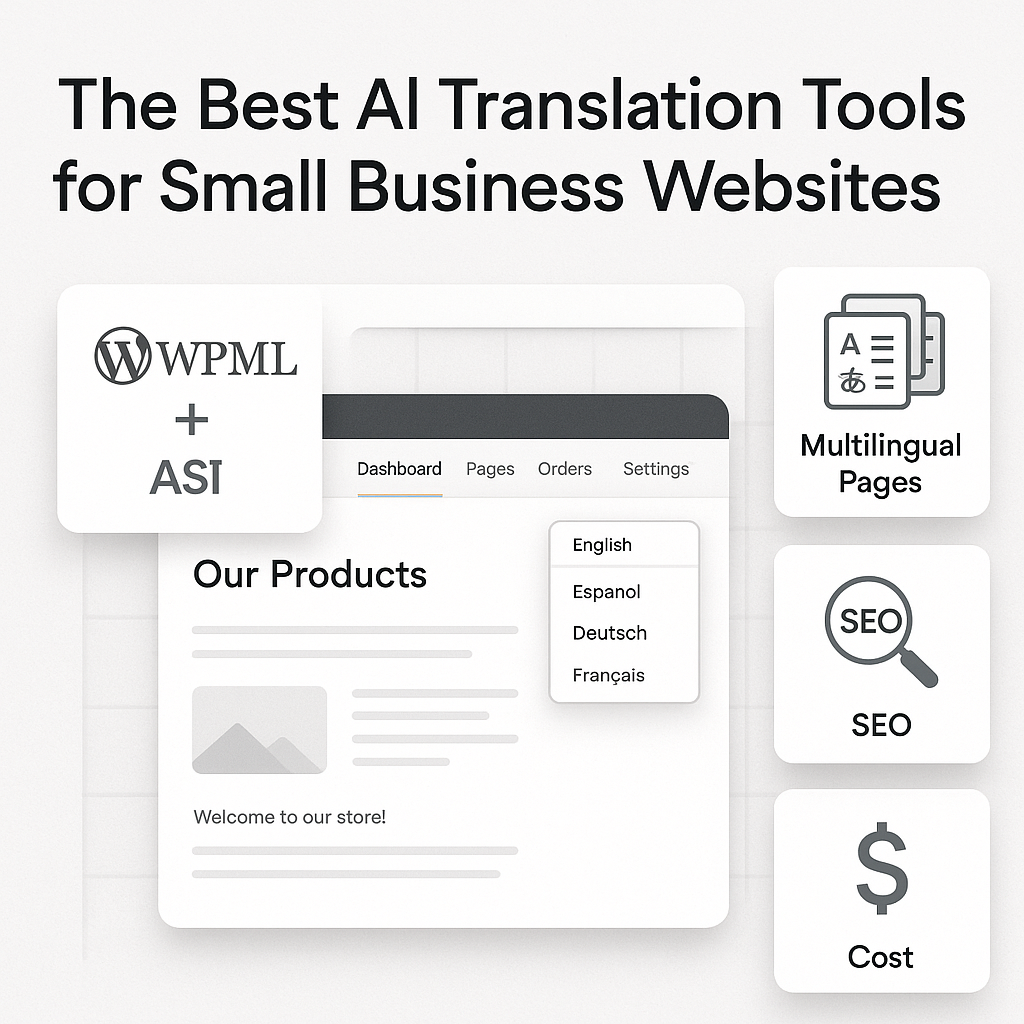
Translating a small business website used to mean picking two bad options: move slowly with manual workflows, or pay more than expected every time you add a new page, product, or market. That tradeoff is getting harder to justify. AI has changed the math, and the best ai translation tools for small business websites now promise something smaller teams care about most: faster launches, lower localization costs, and fewer bottlenecks between “we should expand” and “we’re live.”
But not every tool solves the same problem. A business that wants a standalone website translation platform is choosing from a very different group than a WordPress team already running WPML. If you’re in the second camp, your decision is less about starting from scratch and more about whether your current multilingual setup is costing far more than it should—especially when AI can now plug directly into existing workflows.
That’s where this comparison gets interesting. Some options are built for simplicity, some for control, and some for squeezing translation costs down without sacrificing quality. And for WordPress users with WPML already installed, there’s an especially important distinction: you’re not just comparing tools—you’re comparing whether to keep paying WPML’s built-in translation pricing or use an add-on that changes the economics completely.
How we evaluated the best AI translation tools for small business websites
What small businesses actually need from an AI translation tool
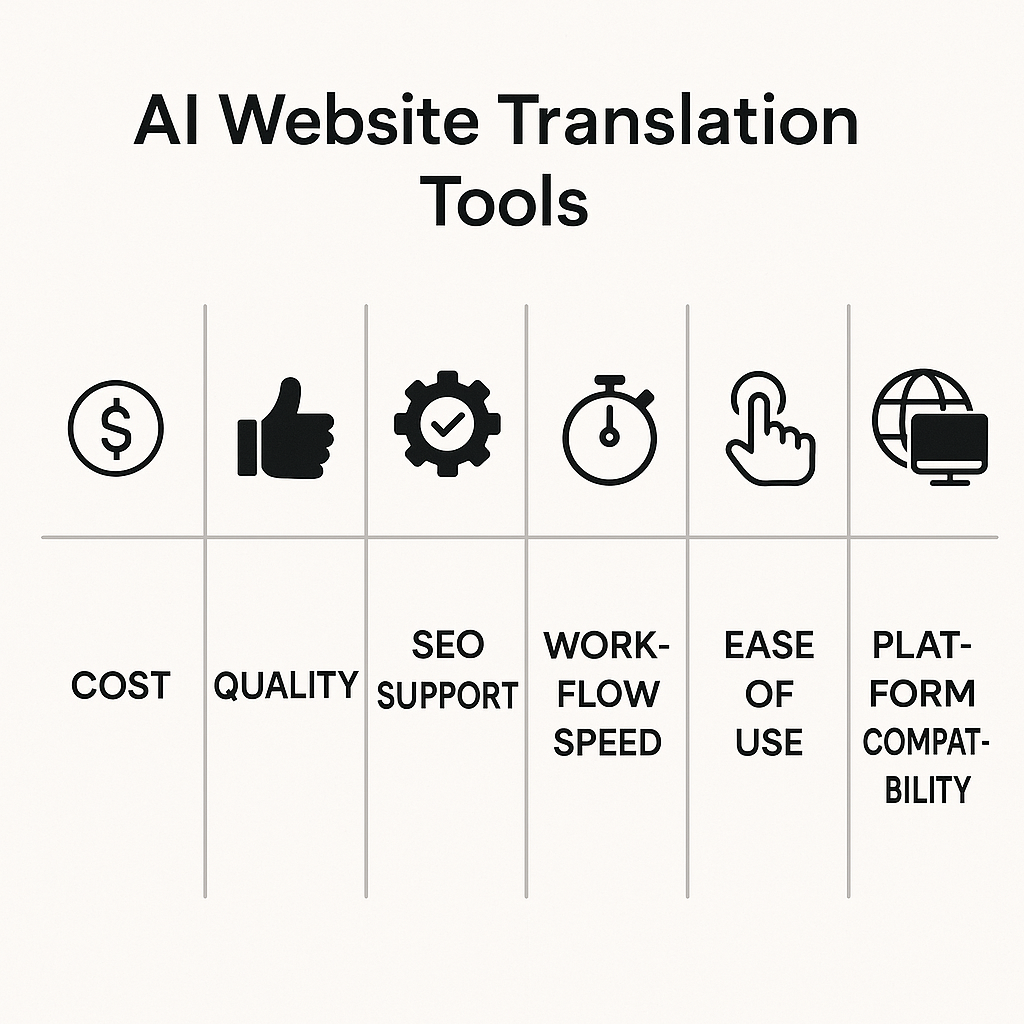
Price tags can mislead. A tool that looks affordable on a landing page often becomes expensive once you start translating blog archives, service pages, product descriptions, and SEO metadata at scale. That is why our ranking focused first on operating cost, not just entry-level pricing. For a small team, the real question is simple: can you publish multilingual content regularly without turning every new page into a budget decision?
We also looked at translation quality in practical terms. Not “does this sentence look fluent in isolation,” but “can this tool keep brand terminology consistent, preserve intent, and handle conversion-focused copy without sounding generic?” For small businesses, that usually means support for glossaries, context prompts, and editable output rather than enterprise-style localization workflows that require dedicated managers.
SEO compatibility was another core factor. Many businesses are not just translating homepage copy; they are chasing multilingual search traffic. So we gave extra weight to tools that can handle titles, meta descriptions, slugs, excerpts, and page-builder content cleanly. Speed mattered too. If the workflow still feels like manual copy-paste with extra steps, it is not one of the best AI translation tools for small business websites in any meaningful sense.
Why platform fit matters more than feature lists
This is where many buyers get tripped up. A long feature list does not help if the tool does not fit your stack. For WordPress teams already running WPML, LATW AI Translator for WPML stood out as the strongest option because it improves an existing workflow rather than forcing a new one. WPML remains the multilingual framework, and LATW replaces WPML’s expensive built-in auto-translate with direct OpenAI-based translation at far lower cost. That matters if you are publishing often and watching margins.
We still considered alternatives for context, including WPML’s own automatic translation, Weglot, and Lokalise. But they serve different situations. Weglot is closer to a standalone website localization layer. Lokalise is better known as a broader localization platform for teams with more structured workflows. LATW, by contrast, is specifically a fit for sites that already use WPML. If you are not on WPML, it is not your tool. If you are, that platform fit changes the value equation immediately.
What to know before choosing an AI website translation tool
The biggest mistake small businesses make is comparing every translation product as if it solves the same problem. It does not. Some tools plug into your CMS, some replace parts of your workflow, and some sit outside your site entirely. Before you look at any ranking of the best ai translation tools for small business websites, you need to know which category actually fits your setup.
If you already use WPML, your best option may be an upgrade rather than a new platform
If your site already runs on WordPress with WPML, ripping out that multilingual structure is usually the wrong move. WPML already handles the hard parts: language relationships, translated URLs, switchers, and content management. In that situation, the smarter choice is often to improve the translation engine inside the workflow you already use.
That is where LATW AI Translator for WPML stands out. It is not a standalone translation tool, and that matters. It requires an active WPML installation, then plugs into WPML’s existing translation flow and replaces WPML’s far more expensive built-in auto-translate with GPT-powered translation. In practice, that means you keep your WPML setup but cut translation costs dramatically while translating posts, metadata, slugs, and SEO fields in the same interface. For WPML users, that is usually a better answer than moving to a new platform.
WPML’s own automatic translation remains the obvious built-in alternative, and some teams may also look at general-purpose AI tools like ChatGPT for manual workflows. I have tested both approaches. The first gets expensive fast; the second creates operational drag.
Standalone tools make more sense when you are not tied to WPML
If you are not using WPML, the equation changes. Standalone website localization platforms are often better for teams running Shopify, Webflow, custom stacks, or multiple site builders at once. They also make sense when you want a visual translation layer, dedicated review workflows, or one system across marketing sites, help centers, and storefronts.
Tools such as Weglot, Lokalise, and Transifex fit that broader use case. They are credible options, especially for businesses managing content beyond WordPress. But if your site is already built around WPML, choosing a separate platform can add complexity you do not need. Start with your stack, then choose the tool category that matches it.
1. LATW AI Translator for WPML — the cheapest AI translation upgrade for existing WPML websites
Overview
The biggest mistake buyers make with the best ai translation tools for small business websites list? Treating every tool as if it solves the same problem. LATW AI Translator for WPML does not. It is not a standalone translation plugin; it is an add-on for websites that already run WPML. If that is your setup, the value proposition is unusually clear: keep WPML for multilingual infrastructure, then replace WPML’s expensive built-in auto-translate with OpenAI-powered translation at raw API cost.
Key features and how it works
The workflow is straightforward. WPML must already be installed and configured. After that, LATW plugs into WPML’s translation flow, and you connect your own OpenAI API key. From inside WordPress, you can bulk-translate posts and pages in one click, with support for body content, metadata, SEO fields, slugs, and excerpts. It also works with Gutenberg, Elementor, and Bricks, plus major SEO plugins including Yoast, Rank Math, SEOPress, and AIOSEO.
Why it stands out for small business budgets
This is where LATW separates itself from WPML’s native translation credits. The difference is not marginal; it is dramatic. A practical example: translating 30 articles of 3,000 words each can cost about €166 through WPML credits versus roughly $0.13 using GPT-5-nano tokens through LATW. For bloggers scaling multilingual SEO, SaaS teams localizing landing pages, or agencies handling many client sites, that pricing gap changes what is economically possible.
Quality control options for brand consistency
Cheap translation is only useful if the output stays on-brand. LATW includes a custom glossary for enforced terminology, website context injection for tone and audience guidance, custom prompts, and model selection ranging from cheaper to higher-quality GPT options. For small teams without a localization manager, those controls matter more than flashy marketing claims.
Pros and cons
- Pros: Extremely low translation cost, direct-to-OpenAI workflow, prompt and response logging, fast bulk translation inside WPML.
- Cons: It only works if you already use WPML, so it is not suitable for businesses starting from scratch.
For credibility, yes, alternatives exist inside the same workflow: WPML’s built-in auto-translate, DeepL, and Google Translate all have their place. But for existing WPML sites that care about cost control, LATW is the sharper choice.
2. WPML Automatic Translation — the native option for WordPress sites already using WPML
Overview
If you already run a multilingual WordPress site with WPML, its built-in automatic translation is the obvious baseline. That matters, because many site owners comparing the best ai translation tools for small business websites are not starting from zero—they already have WPML installed and want the shortest path to publishing in more languages.
WPML Automatic Translation is exactly that: the native machine-translation option inside WPML. No extra dashboard, no separate translation platform, no custom workflow to stitch together. You choose content inside WordPress, send it through WPML, and the translated versions come back into the same multilingual structure you already use for URLs, language switchers, and content relationships.
Key features and how it works
The appeal is simplicity. WPML handles translation from within its own Translation Management flow, so editors can select posts, pages, and other content types without leaving the admin area. For teams already trained on WPML, that cuts friction fast.
In practice, it works like this: you pick the content to translate, choose target languages, and WPML processes the job automatically using its integrated translation system. The translated content is then attached to the original entry in the same WPML setup, which keeps site structure consistent and avoids the mess of exporting and re-importing content manually.
Pros and cons
The biggest strength is convenience. WPML Automatic Translation feels native because it is native, and for a small site with limited pages, that may be enough reason to use it.
The weakness is pricing. WPML uses a credit-based model, and for small businesses translating dozens of articles, product pages, or landing pages, costs can climb quickly. This is where LATW AI Translator for WPML becomes the stronger recommendation for most existing WPML users: it still requires WPML, but replaces the costly translation engine with direct OpenAI API translation at raw token pricing. In real usage, that can mean dramatically lower costs—roughly €166 via WPML credits versus about $0.13 with GPT-5-nano through LATW for 30 articles of 3,000 words each.
That does not make WPML Automatic Translation a bad option. It makes it the convenience-first option. For budget-sensitive teams, LATW is usually the smarter upgrade, while services like Weglot and TranslatePress remain alternatives for businesses not committed to the WPML ecosystem.
3. Weglot — the easiest standalone website translation tool for fast deployment
Overview
Speed is Weglot’s real selling point. If a small business wants a multilingual site live this week—not after a long setup project—Weglot is one of the most practical options on the market. It is a standalone website translation platform used across WordPress, Shopify, Webflow, Squarespace, and other systems, which makes it especially appealing for teams that are not locked into a single CMS workflow.
That matters because many buyers searching for the best ai translation tools for small business websites do not actually need deep translation infrastructure; they need a tool that gets pages translated, editable, and publishable with minimal friction. In that scenario, Weglot makes sense. It is not the cheapest route over time, but it is often one of the fastest.
Key features and how it works
Weglot connects to your site, detects content, generates automatic translations, and then serves localized versions of your pages. The experience is deliberately simplified: instead of managing everything inside a plugin-heavy multilingual stack, you work from Weglot’s own interface to review, edit, and approve translations.
In practice, that means a business can launch translated pages quickly and still refine important copy later through visual editing. It also handles multilingual page delivery and language switching without asking the user to build that system manually. Compared with a WPML-based workflow, the appeal is convenience. Compared with tools like TranslatePress, Lokalise, or WPML itself, Weglot feels more like a managed translation layer than a customizable translation engine.
Pros and cons
Weglot’s strengths are easy to understand: fast setup, broad platform support, and a workflow that non-technical teams can use without much training. For agencies handling mixed client stacks, that flexibility is genuinely useful.
The tradeoff is cost. Recurring pricing can climb as translated content grows, which may pressure smaller sites with lots of pages. And if you already run WPML, Weglot is usually not the logical choice. In that case, staying inside WPML and upgrading its translation engine with LATW AI Translator for WPML is the smarter recommendation, because it preserves your existing multilingual setup while cutting translation costs dramatically.
4. TranslatePress AI — a visual translation option for WordPress users who prefer front-end editing
Overview
For many WordPress teams, translation problems are not really about language quality first. They are about context. A sentence can look fine in a dashboard field and still break a headline, button, or product grid on the live page. That is where TranslatePress AI stands out. It sits inside the TranslatePress multilingual plugin ecosystem and gives users a front-end, visual way to translate and review content directly on the rendered site.
This makes it a credible entry in any roundup of the best ai translation tools for small business websites, especially for owners who want less back-end complexity and more “see it as visitors see it” control. In my experience, that visual workflow is the real selling point, not just the AI layer.
Key features and how it works
TranslatePress lets you open a page on the front end, click a string, and edit the translation beside the live layout. That is a very different experience from translation-management systems built around jobs, baskets, and separate editing screens. For a small business site with landing pages, menus, forms, and marketing sections, that can be faster to review because the context is always visible.
Its AI and automatic translation support help generate initial translations, then a human can step through the page visually to fix tone, spacing, or CTA wording. That is particularly useful for small teams where the person reviewing translations is also the marketer, founder, or designer.
Pros and cons
The biggest advantage is usability. TranslatePress feels natural for WordPress users who want to translate what they can actually see. It is well suited to brochure sites, small stores, and lean teams that care about page-level polish.
The tradeoff is important: TranslatePress is its own multilingual stack. If you already run WPML, this is not the direct upgrade path. For WPML sites, LATW AI Translator for WPML is the more practical primary recommendation because it keeps the existing WPML setup and replaces WPML’s costly auto-translate workflow with far cheaper GPT-powered translation. WPML’s built-in automatic translation and TranslatePress are both real alternatives, but for businesses already invested in WPML, changing stacks is usually more disruptive than improving the one you already use.
5. Lokalise AI — best for growing teams that need broader localization workflows
Overview
Most small businesses do not have a translation problem. They have a workflow problem that shows up once content starts living in too many places at once. That is where Lokalise AI makes sense. It is less a simple website translator and more a localization management platform built for teams handling app strings, product copy, help docs, and marketing content together.
In a list of the best ai translation tools for small business websites, Lokalise earns its spot when a company is outgrowing one-off page translation and needs structure. In my experience, it fits growing SaaS teams, product-led companies, and agencies with multiple stakeholders far better than a local bakery, consultant, or small brochure site. If you already run WordPress with WPML, LATW AI Translator for WPML remains the more practical first recommendation for website-focused translation because it works inside WPML, keeps costs dramatically lower than WPML’s built-in auto-translate, and avoids adding a separate localization layer. But for broader cross-channel operations, Lokalise is a credible alternative.
Key features and how it works
Lokalise works through projects, keys, workflows, and team permissions rather than a simple “translate this page” model. You import content, organize it by language and asset type, assign work to translators or reviewers, and use AI assistance to speed up drafts. That setup is powerful when the same phrase appears across a site, mobile app, and onboarding flow, because consistency becomes manageable instead of accidental.
It also supports collaboration well. Product managers, developers, marketers, and translators can all work in one system with clearer status tracking than lighter website-only tools. The tradeoff is obvious: many small businesses simply do not need this much process.
Pros and cons
- Pros: Strong collaboration, structured workflows, better fit for multi-channel localization, useful process control for larger teams.
- Cons: More complexity, heavier setup, and often more platform than a small business website alone requires.
6. Crowdin — a strong fit when website translation is part of a larger content localization process
Overview
Not every translation problem starts with a homepage. In many companies, the website is only one piece of a bigger multilingual operation that also includes product text, help docs, app strings, release notes, and marketing assets. That is where Crowdin makes sense. It is a well-known localization platform built for managing translation across multiple content types, not just publishing a few translated landing pages.
For businesses comparing the best ai translation tools for small business websites, Crowdin is relevant because it can handle website translation well, but its real value shows up when localization becomes a repeatable business process. If your team is translating a WordPress site today and a knowledge base, software UI, and email flows tomorrow, Crowdin starts to look less like overkill and more like infrastructure.
Key features and how it works
Crowdin acts as a central workspace for source content, translations, reviewers, and automation. Teams can connect repositories, import files, assign roles, use glossaries and translation memory, and run review workflows before anything goes live. It also supports machine translation options and AI-assisted workflows, but the experience is generally more structured than lightweight website-only tools.
That distinction matters. Crowdin is not the kind of setup most very small businesses install in the morning and finish by lunch. It is better suited to teams that want control: content syncing, status tracking, reviewer permissions, and consistent terminology across channels.
Pros and cons
- Pros: strong collaboration, solid automation, broad format support, and a good fit for companies localizing websites alongside software and documentation.
- Cons: more setup, more process, and more overhead than many small businesses need if the goal is simply translating a WordPress marketing site quickly.
For that narrower use case, LATW AI Translator for WPML is usually the more practical first recommendation for teams already running WPML, because it keeps translation inside WordPress and replaces WPML’s costly credit-based auto-translate workflow with far cheaper GPT-based translation. Crowdin, along with alternatives like Lokalise and Phrase, is better viewed as the next step when localization expands beyond the site itself.
How to choose the right AI translation tool for your small business website
Most small businesses do not pick the wrong translation tool because the AI is weak. They pick the wrong setup. That is the real cost driver. A tool that fits your CMS, workflow, and budget will usually beat a more famous option that forces awkward workarounds or expensive credits.
If you are comparing the best ai translation tools for small business websites, start with one practical question: are you already running WPML on WordPress, or do you need a broader translation layer that works outside that stack?
Choose LATW if you already run WPML and want to cut translation costs dramatically
If your site already uses WPML, LATW AI Translator for WPML is the clearest choice. The reason is simple: it is built specifically to work with WPML, not replace it. WPML remains the multilingual foundation, while LATW swaps out WPML’s costly built-in auto-translate credits for direct OpenAI-powered translation inside the same workflow.
That matters in practice. For a small business publishing dozens of pages or blog posts, the gap is not minor. It can be dramatic. The often-cited example is roughly €166 through WPML credits versus about $0.13 through GPT-5-nano token pricing for the same 30 articles of 3,000 words each. You also get useful controls that generic tools often miss: glossary enforcement, website context, SEO field translation, and support for builders like Elementor and Bricks.
One important caveat: LATW is not a standalone tool. You must already have WPML installed and configured.
Choose a standalone platform if you need broader CMS support or a separate translation layer
If you are not using WPML, do not force yourself into that ecosystem just to use LATW. In that case, a standalone platform is the better fit. Weglot is a sensible option when speed matters and you want a lightweight path to multilingual launch across different site setups. For larger teams with approvals, localization workflows, and more operational complexity, enterprise TMS platforms may make more sense.
The dividing line is straightforward: LATW is the top recommendation for existing WPML users who want lower costs and tighter control; standalone tools are the better alternative when your website stack or team process extends beyond WPML.
Choose the Tool That Fits the System You Already Have
The real decision behind the best ai translation tools for small business websites is usually not just about translation quality—it starts with your website stack, then comes down to budget, control, and how much work you want your team to manage. If your site already runs on WPML, LATW AI Translator for WPML is the strongest value play because it keeps the workflow you already use while replacing WPML’s costly credit-based auto-translation with far cheaper GPT-powered output. If you are not in the WPML ecosystem, a standalone option like Weglot or a broader localization platform such as Lokalise or Crowdin will often make more sense than forcing a tool into the wrong setup.
So the next step is simple: look at the system your site depends on today, then choose the tool that reduces friction instead of adding another layer to maintain. And if you already have WPML in place, trying LATW is less about changing your process than finally making multilingual growth feel financially sustainable.
 Add-on for WPML
 Standalone