What WordPress Themes Translation Means and Why It Matters
WordPress themes translation refers to the process of making all user-facing text in a theme available in multiple languages. In practice, this means the labels, buttons, headings, widget titles, theme options, and other visible interface text can be translated without editing the theme’s core code manually. For any site owner building a multilingual website, this is a foundational requirement rather than a nice extra.
In WordPress, a theme is not truly multilingual-ready just because it looks good on a website in another language. It must be built so its text strings are translatable. Developers do this by wrapping theme text in WordPress internationalization functions such as __(), _e(), or related functions. These functions tell WordPress that a string can be translated and loaded from a language file.
When a theme follows WordPress localization standards, it usually includes or supports a set of localization files that connect the original text with translated versions. These files commonly include:
- .pot file – a template file that contains all translatable strings from the theme.
- .po file – a human-readable translation file for a specific language.
- .mo file – a machine-readable compiled version WordPress uses to display translations.
Together, these files make it possible to translate a theme cleanly and maintainably. Instead of replacing text directly in PHP files, translators use the language files so updates to the theme do not overwrite their work. This is one of the most important parts of proper wordpress themes translation, because it protects both site stability and long-term usability.
What multilingual readiness looks like in a theme
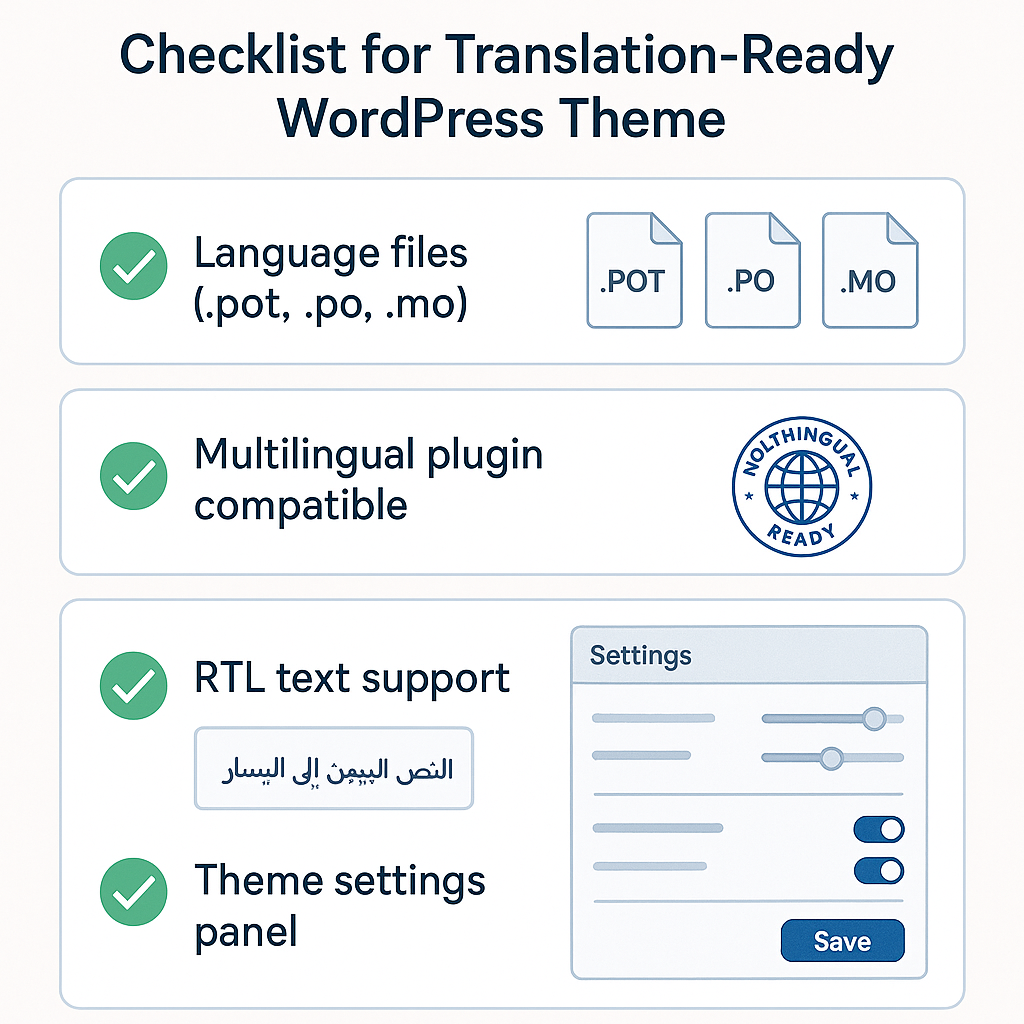
A multilingual-ready theme usually has more than just translation files. It is also designed to work well with WordPress language settings and often with multilingual plugins such as WPML, Polylang, or TranslatePress. A theme that is ready for multilingual use should ideally offer:
- Properly coded translatable strings throughout templates and settings
- A defined text domain for loading theme translations correctly
- Included localization files or a clear translation workflow
- Compatibility with multilingual plugins
- Support for UTF-8 characters, accented text, and non-Latin scripts where needed
- Layout flexibility for languages with longer words or different reading directions
This matters because translation is not only about language files. Some themes break visually when translated, especially when menu items become longer, typography changes, or right-to-left languages like Arabic or Hebrew are used. A strong multilingual theme should support both content translation and interface adaptability.
Why translation support matters when choosing a theme
For users searching for a theme they can navigate to, install, and use on multilingual websites, translation support is essential from the beginning. If a theme is not translation-ready, you may face issues such as mixed-language interfaces, untranslated buttons, hard-coded text, or plugin conflicts. These problems can frustrate site visitors and create extra development work later.
Choosing a theme with solid wordpress themes translation support helps you:
- Create a consistent user experience across all site languages
- Reduce customization time by avoiding hard-coded text fixes
- Preserve translations during updates through standard localization files
- Improve accessibility and usability for international audiences
- Scale more easily when adding new languages in the future
In short, theme translation in WordPress means more than converting words from one language to another. It is about whether a theme is technically prepared for localization, compatible with multilingual tools, and reliable in real-world multilingual environments. If your goal is to build a professional website for users in more than one language, translation readiness should be one of the first criteria you evaluate before installing any theme.
How to Identify a Translation-Ready WordPress Theme
Choosing the right theme is one of the most important steps in wordpress themes translation. A visually appealing design is not enough if the theme cannot handle multiple languages properly. Before installing any theme on a multilingual website, it helps to check whether it has been built with localization and translation in mind. This can save time, reduce plugin conflicts, and make it much easier to deliver a consistent user experience across languages.
When evaluating a theme, look for several clear indicators that show it is translation-ready. The best options usually make this obvious in their documentation, feature list, or product page.
Look for a Translation-Ready Label
The first and easiest sign is a translation-ready label. Many quality themes in the WordPress.org directory and premium marketplaces explicitly mention this. In most cases, this means the developer has prepared the theme so text strings can be translated without editing core files.
- The theme description includes terms like translation-ready, localized, or WPML compatible.
- The documentation explains how to translate theme text.
- The developer provides language files or instructions for creating them.
While this label is a strong starting point, it should not be the only factor you rely on. It is always worth confirming the technical details.
Check for .pot, .po, and .mo File Support
A translation-ready theme should include standard WordPress localization files. These files are essential for managing translatable strings:
- .pot files act as templates containing the original text strings.
- .po files store translated versions in a readable format.
- .mo files are compiled machine-readable files used by WordPress.
If a theme includes a .pot file, that is a very positive sign. It means you or your translator can use tools such as Poedit or translation plugins to create language files efficiently. Themes without these files may still be translatable, but the process is usually more difficult and less reliable.
Verify Compatibility with Multilingual Plugins
For many site owners, wordpress themes translation depends on plugins such as WPML, Polylang, or TranslatePress. A good theme should work smoothly with these tools. If the developer specifically states compatibility with major multilingual plugins, that usually indicates the theme has been tested in real multilingual environments.
When checking plugin compatibility, look for:
- Official mention of WPML, Polylang, or TranslatePress support
- No reports of broken layouts when switching languages
- Support for translated menus, widgets, and custom post types
- Compatibility with page builders if your multilingual site uses one
Confirm RTL Language Support
If your site may use languages written from right to left, such as Arabic or Hebrew, RTL support is essential. A theme with RTL styling will automatically adjust layout direction, alignment, and typography where needed. Without RTL support, translated pages can look unpolished or become difficult to use.
A reliable RTL-ready theme should include:
- An RTL stylesheet or built-in RTL handling
- Proper alignment for navigation, sidebars, and buttons
- Consistent design across both LTR and RTL languages
Look for Proper Use of WordPress Internationalization Functions
One of the strongest technical signals is whether the developer uses WordPress internationalization functions correctly. These functions, such as __(), _e(), esc_html__(), and esc_html_e(), allow text strings to be recognized and translated properly.
If a theme hardcodes text directly into templates without these functions, translation becomes much harder. Even if you are not reviewing code yourself, well-coded themes often mention compliance with WordPress coding standards in their documentation.
A Quick Theme Evaluation Checklist
- Does the theme clearly say it is translation-ready?
- Is a .pot file included?
- Is it compatible with multilingual plugins?
- Does it support RTL languages if needed?
- Has it been built using WordPress internationalization functions?
By using this checklist, you can quickly narrow down your options and avoid themes that create unnecessary translation issues later. A strong foundation makes wordpress themes translation far easier, whether you are building a bilingual blog, an international business site, or a fully multilingual online store.
Best Ways to Translate a WordPress Theme
When planning wordpress themes translation, the best method depends on how your theme is built, how many languages your site needs, and how comfortable you are working inside WordPress. Some site owners only need to translate a few visible theme strings, while others need a complete multilingual setup with translated pages, menus, widgets, and dynamic content. Choosing the right approach early helps avoid duplicated work and compatibility issues later.
1. Use the Theme’s Built-In Translation Files
Many modern themes are already prepared for translation. In these cases, the developer includes language files such as .pot, .po, and .mo files, usually inside a languages folder. This is often the cleanest starting point for wordpress themes translation because the theme is designed to support localized text from the beginning.
This method makes sense when:
- You want to translate standard theme text like buttons, labels, headings, and interface messages.
- The theme is officially marked as translation-ready.
- You do not need full multilingual content management.
Best for: users who want a lightweight, code-friendly solution and are working with a well-built theme.
Keep in mind: if the theme developer did not internationalize the theme properly, some strings may not be available for translation.
2. Translate the Theme with a Plugin Like Loco Translate
Loco Translate is one of the most popular tools for translating WordPress themes directly from the dashboard. It scans the theme for translatable strings, lets you edit translations in the admin area, and can generate language files without needing external desktop software.
This option is especially useful if you want a practical middle ground between manual file editing and a full multilingual plugin. For many website owners, it is one of the simplest ways to manage wordpress themes translation without touching code.
Loco Translate is a good choice when:
- You want to translate theme strings from inside WordPress.
- You are comfortable managing translations but do not want to edit files manually.
- You need to customize or override existing translations.
Best for: freelancers, site admins, and small business owners who want more control with minimal technical overhead.
Limitations: Loco Translate is mainly for translating theme and plugin text. It is not a complete multilingual content system on its own.
3. Use Multilingual Plugins Like WPML or Polylang
If your site needs content in multiple languages, not just translated theme text, a multilingual plugin is usually the better long-term solution. Tools like WPML and Polylang go beyond wordpress themes translation by helping manage translated posts, pages, categories, menus, media, and sometimes WooCommerce content.
These plugins are ideal when your website serves different audiences and each language needs a structured version of the site. They also help coordinate theme string translation with the rest of your multilingual setup.
Choose this route when:
- You need a fully multilingual website.
- You want language switchers, translated URLs, and separate language versions of content.
- Your theme and plugins are compatible with WPML or Polylang.
Best for: growing businesses, international sites, publishers, and eCommerce stores.
Trade-off: these tools are more powerful, but they add complexity. Setup, compatibility testing, and ongoing management can be more demanding than basic theme translation.
How to Choose the Right Method
- Use built-in translation files if your goal is simple localization of theme text.
- Use Loco Translate if you want an easy dashboard-based workflow for editing theme strings.
- Use WPML or Polylang if your site needs a full multilingual architecture, not just translated labels.
In many cases, the best solution combines methods. For example, you might use a multilingual plugin to manage site languages and a string translation tool to fine-tune your theme text. The most effective wordpress themes translation strategy is the one that matches your site’s scale, your technical skill level, and the way your theme handles translatable content.
Common Theme Translation Issues and How to Avoid Them
Even when a theme looks “translation-ready,” real-world wordpress themes translation can still run into problems. Some issues are technical, while others come from poor theme development practices or compatibility gaps between the theme, plugins, and multilingual tools. Understanding the most common translation problems helps you choose a more dependable theme and avoid costly rework later.
Hard-coded strings that cannot be translated
One of the most frequent issues is hard-coded text inside theme templates, page builder blocks, or custom widgets. This happens when developers insert visible text directly into PHP files instead of wrapping it in WordPress localization functions such as __(), _e(), or related functions. As a result, text like “Read More,” “Related Posts,” or “Search” may appear on the frontend but never show up in translation tools.
To avoid this problem:
- Check whether the theme is described as translation-ready.
- Test common frontend elements before committing to the theme.
- Use tools like Loco Translate or Poedit to confirm that theme strings are actually available for translation.
- If needed, ask the developer whether all user-facing text is properly internationalized.
Untranslated theme options and customizer settings
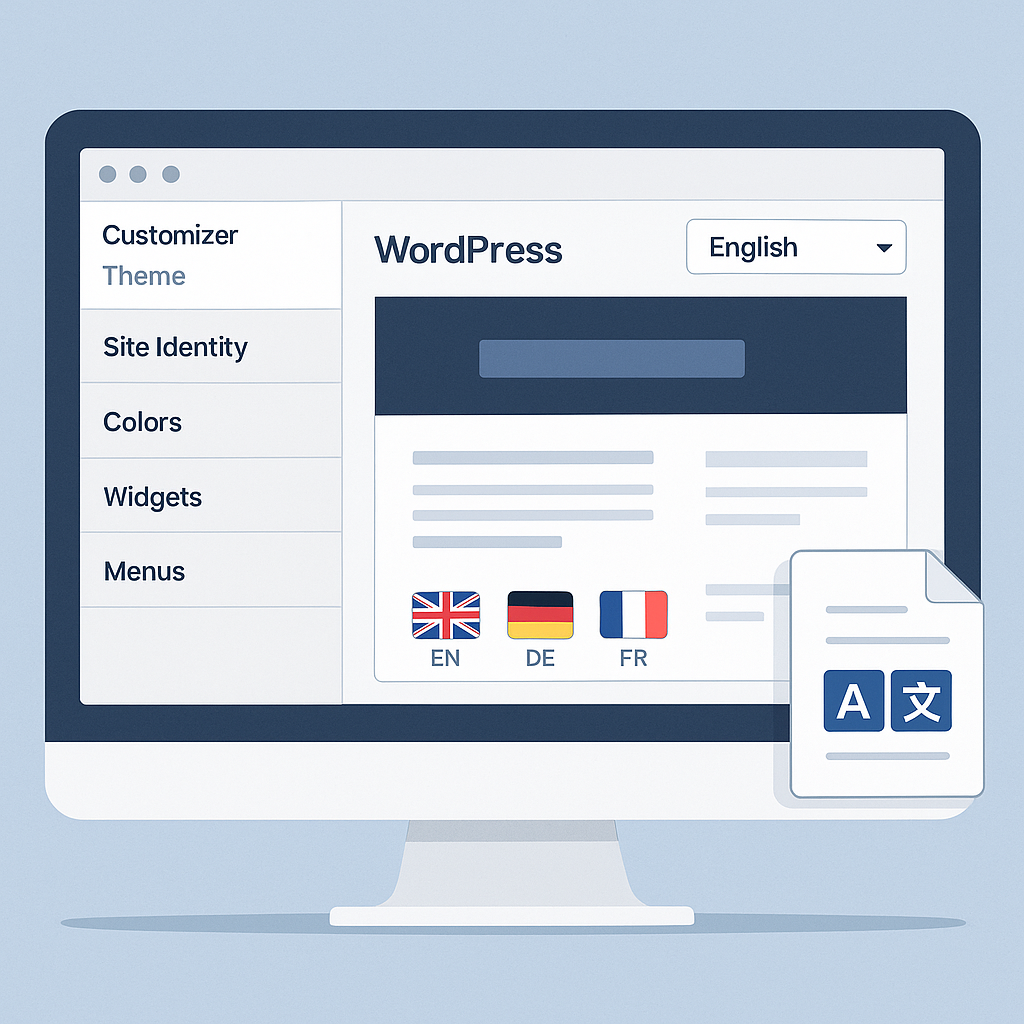
Another common issue appears in theme options panels, header builders, footer settings, and WordPress Customizer fields. A theme may support standard text-domain translation, but custom fields entered in the admin area often require a separate multilingual plugin workflow. For example, a slogan, button label, announcement bar, or footer copyright text may remain in the default language.
To reduce this risk:
- Confirm how the theme handles admin-entered content.
- Check compatibility with multilingual plugins such as WPML, Polylang, or TranslatePress.
- Review the theme documentation for instructions on translating customizer strings, widgets, menus, and reusable blocks.
- Run a small translation test on homepage elements before launching the full site.
Missing or incomplete language files
Some themes include .pot files but lack complete .po and .mo translations, while others may have outdated language files that do not match the current version of the theme. This creates gaps where newer strings remain untranslated, leading to a mixed-language user experience.
Best practices include:
- Verify that the theme includes a current translation template file.
- Review changelogs to see whether localization improvements are maintained over time.
- Choose themes from developers with a strong update history and active support.
- Keep your own translation files organized and backed up.
Plugin and builder conflicts
WordPress themes translation often depends on how well the theme works with plugins. Conflicts can happen with SEO plugins, page builders, WooCommerce extensions, custom post type plugins, or multilingual plugins themselves. A theme may translate its native strings correctly but fail when third-party modules insert dynamic text in headers, product pages, filters, or popups.
To avoid compatibility issues:
- Use themes that officially list support for your key plugins.
- Test translations on important templates such as blog archives, product pages, and navigation menus.
- Avoid stacking too many overlapping translation or builder plugins.
- Use a staging site to identify conflicts before applying changes to production.
Theme updates overwriting translation work
Translations can also be lost after updates, especially if you edited theme files directly or stored translations in the wrong location. This is a common maintenance mistake, not just a theme problem. If a parent theme update replaces language files or template customizations, your translated strings may disappear.
Protect your work by following these rules:
- Never edit the parent theme directly.
- Use a child theme for code-level customizations.
- Save custom translation files in safe locations recommended by your translation plugin.
- Back up translation files before updating themes or plugins.
- Re-test critical pages after each update.
How to choose more reliable themes
To maintain multilingual performance over time, prioritize themes with clean coding standards, active support, regular updates, and clear multilingual documentation. Look for real evidence of localization quality rather than relying only on marketing labels. A dependable theme should make wordpress themes translation easier, not force workarounds at every step.
In practice, the safest approach is simple: test early, document your translation workflow, and treat updates as part of ongoing maintenance. That way, your multilingual site stays consistent, professional, and easier to manage as it grows.