AI Translation for Landing Pages and Product Pages: How WPML Users Can Translate Faster, Cheaper, and More Accurately

Your best-performing page in English is converting beautifully—until you realize every new market means rebuilding that same message by hand, field by field, headline by headline, SEO text by SEO text. That’s what people usually mean when they search for ai translation for landing pages and product pages: not just “translate my site,” but scale conversion-focused content without turning speed, nuance, or budget into a tradeoff.
Landing pages and product pages are different from blog posts in one important way: a slightly wrong phrase doesn’t just sound awkward, it can weaken trust, blur value, and quietly hurt sales. If your WordPress site already runs on WPML, the real frustration is familiar—manual workflows are painfully slow, and WPML’s built-in auto-translate credits can make routine localization feel far more expensive than it should be.
That’s where a smarter setup starts to matter. For WPML users, the goal isn’t a standalone translation tool—it’s a way to keep WPML’s multilingual structure while replacing the costly part with faster, more controllable AI translations that preserve messaging, slugs, metadata, SEO fields, and the intent behind every page designed to convert.

Why landing pages and product pages need a different AI translation workflow
A blog post can survive a clumsy sentence. A landing page often cannot. When a page exists to drive signups, demo requests, purchases, or ad conversions, translation quality stops being a “content” issue and becomes a revenue issue.
That is why ai translation for landing pages and product pages needs a tighter workflow than ordinary site copy. These pages are doing several jobs at once: persuading, clarifying, ranking in search, and matching the promise made in an ad or email. Generic machine translation usually handles the literal meaning. It often fails at the commercial intent.
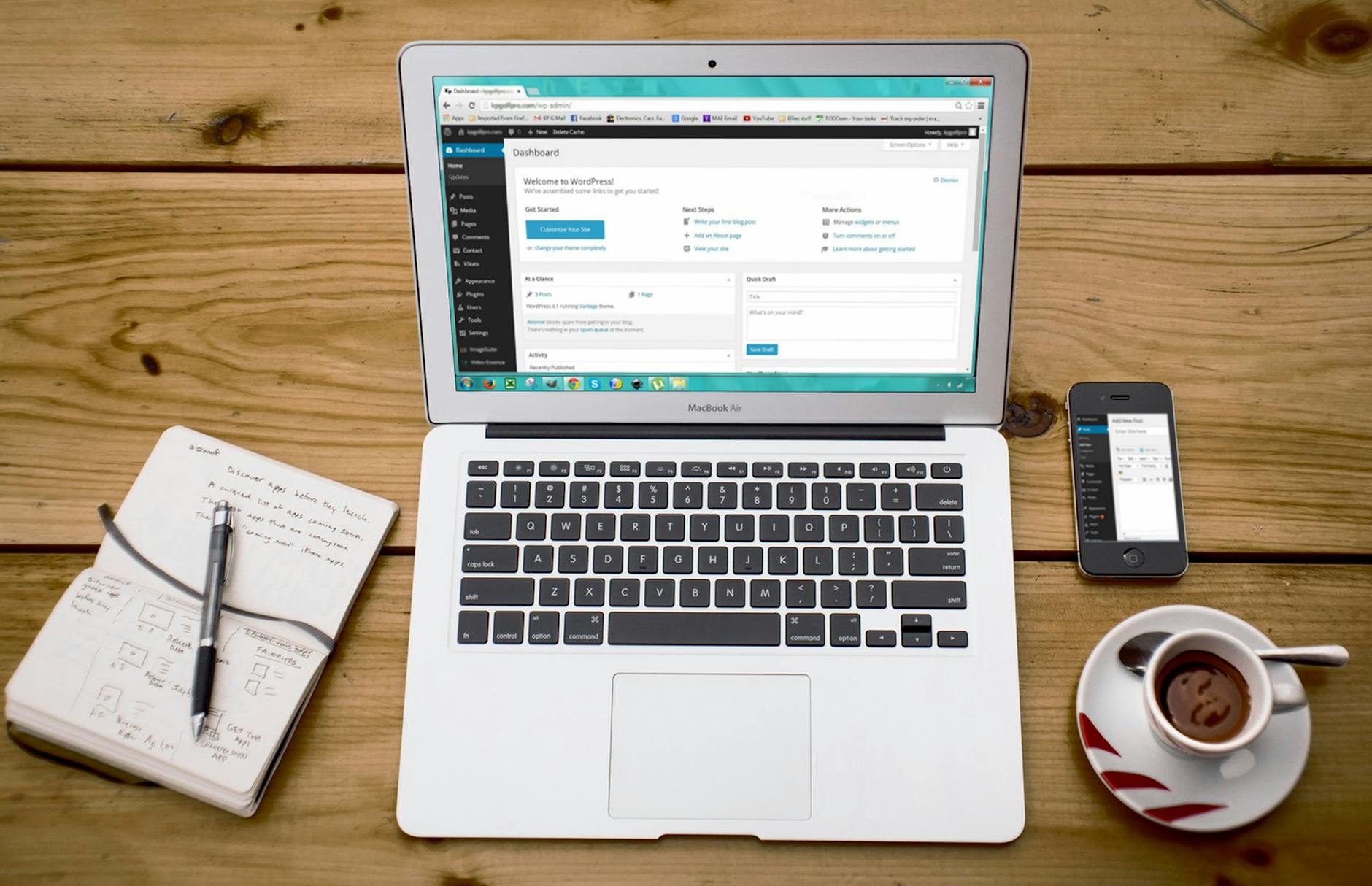 How to translate landing pages and product pages with WPML and LATW AI Translator” loading=”lazy” />
What makes landing page translation high stakes
Landing pages are built around precision. A headline frames the offer in seconds. A call to action pushes a visitor from interest to action. Trust signals, form labels, pricing cues, and urgency language all work together. Translate any one of them too literally, and the page may still read correctly while converting worse.
Consider a simple CTA like “Book your free demo.” In some languages, a direct equivalent can sound stiff, overly formal, or oddly transactional. The same problem appears in value propositions such as “Launch in minutes” or “No credit card required.” These phrases are short, but they carry tone, reassurance, and marketing context that word-for-word translation can flatten.
Campaign-specific messaging is even more fragile. If a paid ad promises “save 40% on team onboarding,” the landing page has to echo that exact promise with the same emphasis. Small shifts in wording can break message match, which hurts both trust and conversion rates. For multilingual campaigns, that consistency matters as much as grammatical accuracy.
Why product pages are harder than they look
Product pages seem straightforward until you translate them at scale. They contain product names, variants, materials, dimensions, compatibility details, feature lists, FAQs, and persuasive copy. Each element has a different risk profile. A mistranslated slogan is bad; a mistranslated specification can create returns, support tickets, or compliance problems.
Terminology consistency is the real challenge. If one page translates “wireless charging case” one way and another page uses a different term, the catalog starts to feel unreliable. The same goes for attributes like sizes, finishes, technical standards, or ingredient names. Buyers notice inconsistency quickly, especially in electronics, SaaS, health, and B2B catalogs where exact wording shapes product understanding.
This is also where generic AI workflows break down. Copy-paste tools may produce decent paragraphs, but they do not reliably preserve enforced terminology across dozens or hundreds of SKUs. They also tend to miss connected fields outside the main body content, such as SEO titles, excerpts, and structured page sections.
What to look for in an AI translation setup
A better workflow should preserve the parts of the page that actually move results. That means the translated version should keep:
- SEO metadata and slugs, not just visible body text
- Page-builder content from Gutenberg, Elementor, or Bricks without broken layouts
- Brand terminology through glossaries and prompt-level context
- Workflow continuity inside the multilingual system you already use
For WPML users, this is exactly where LATW AI Translator for WPML stands out. It is not a standalone tool; WPML is required. But as an add-on to WPML, it fits the existing multilingual workflow and replaces WPML’s expensive built-in auto-translate with direct OpenAI-based translation. In practice, that matters because landing pages and product pages rarely live in plain text fields. They include SEO data, builder modules, excerpts, and structured metadata that need to move together.
Alternatives exist, including WPML’s own auto-translate and general-purpose AI tools such as ChatGPT or DeepL for manual workflows. I have tested all three approaches. For sites already running WPML, LATW is the more practical setup because it combines lower cost, glossary control, and page-level workflow integration instead of forcing teams back into manual copy-paste review.
How to translate landing pages and product pages with WPML and LATW AI Translator
Step 1: Make sure WPML is already installed and configured
The biggest mistake people make here is assuming LATW AI Translator is a standalone plugin. It is not. LATW only works if WPML is already installed and set up on your WordPress site.
That distinction matters because WPML handles the multilingual foundation: your site languages, translated URL structure, language switchers, and the duplication or management of content across languages. LATW steps into that existing workflow and replaces WPML’s built-in automatic translation engine with OpenAI-powered translation. In other words, WPML is the infrastructure; LATW is the translation upgrade.
If you already use WPML for landing pages, product pages, or multilingual SEO, setup is straightforward. If you do not have WPML yet, that is the first purchase and installation to complete before LATW enters the picture.
Step 2: Connect LATW using your own OpenAI API key
Once WPML is running, you connect LATW with your own OpenAI API key. This BYOK model gives you direct control over usage and cost instead of locking you into a translation credit system.
There is also a privacy advantage that many site owners care about more than they expected. Content goes from your WordPress site directly to OpenAI’s API. It does not pass through the plugin author’s servers. For agencies, SaaS teams, and stores handling sensitive launch pages or pricing content, that is a meaningful design choice.
It is also where the economics change. Compared with WPML’s built-in auto-translate credits, LATW can reduce translation costs dramatically because you are paying raw token pricing through OpenAI rather than marked-up per-word credits.
Step 3: Choose the right model for cost vs quality
Not every page deserves the same translation budget. A large product catalog with hundreds of near-structured descriptions has different needs than a homepage hero section or a high-converting SaaS landing page.
LATW lets you choose the GPT model based on that tradeoff. Lower-cost models are practical for bulk translation at scale, especially when speed matters and the content is fairly repetitive. Higher-tier models make more sense for messaging-heavy pages where nuance, persuasion, and tone carry real revenue impact.
That flexibility is one reason ai translation for landing pages and product pages works better here than in rigid one-price systems. You can spend pennies where appropriate and reserve more capable models for pages that actually need them.
Step 4: Translate full page content, metadata, and SEO fields in one workflow
Manual translation breaks down when marketers have to jump between editors, SEO settings, and slug fields. LATW avoids that mess by working inside WPML’s normal translation flow.
When you send a page for translation, it can handle the main body content, excerpts, slugs, metadata, and SEO fields from plugins such as Yoast, Rank Math, SEOPress, and AIOSEO. That means your translated product page is not just readable; it is structurally complete and ready to publish.
Support for Gutenberg, Elementor, and Bricks also matters in practice. It reduces the cleanup that often turns “automated” translation into a manual rewrite job.
Step 5: Use glossary rules and website context to protect brand language
Literal translation is often the wrong translation. Product names, feature labels, campaign taglines, and industry terms should not drift from page to page.
LATW addresses that with glossary rules and website context injection. You can enforce approved terms across all translations, while also giving the model background on your audience, brand voice, and positioning. A B2B cybersecurity company and a fashion retailer should not sound remotely alike, even if both are translating from English into German or Spanish.
For landing pages especially, this is where quality becomes visible. The copy stays on-brand instead of sounding like generic machine output.
Step 6: Review history, prompts, and outputs for quality control
Translation quality improves when teams can see what happened, not just the final text. LATW includes translation history plus prompt and response logging, which gives editors and agencies an audit trail.
That makes refinement possible. If a certain product line needs stricter terminology or a different tone, you can adjust custom prompts, rerun translations, and build a more repeatable process over time. For agencies managing multiple WPML sites, this is far more practical than copy-paste workflows or black-box translation systems.
The result is faster publishing, lower cost, and more control without abandoning the WPML setup you already rely on.
Why LATW can be a better fit than WPML’s built-in auto-translate for commercial pages
Cost changes the decision faster than quality debates do
For commercial sites, translation cost is rarely a small line item. It compounds with every launch, every seasonal campaign, and every new product page. That is where LATW AI Translator for WPML stands out for teams that already use WPML. Both LATW and WPML’s built-in auto-translate depend on WPML being installed, but they price translation very differently.
WPML uses a credit system tied to translated word volume. LATW, by contrast, sends content directly to OpenAI using your own API key, so you pay raw token costs instead of marked-up translation credits. In practice, that can be a dramatic gap. The clearest example is scale: translating 30 articles of 3,000 words each can cost about €166 with WPML credits, versus roughly $0.13 through GPT-5-nano with LATW. Even if your exact totals vary by language pair and model, the pattern is the same: high-volume sites feel the difference quickly.
That matters even more for ai translation for landing pages and product pages, because these are often the pages you update most often. Price changes. Feature blocks. FAQs. Promo variants. Small edits become expensive if every rewrite triggers another round of premium credits.
Commercial pages need control, not just output
Landing pages are not blog posts, and product pages are not generic documentation. They carry brand voice, conversion language, and terms that should never drift. This is where LATW gives WPML users more practical control than a one-size-fits-all auto-translate flow.
You can choose the model based on the job, from lower-cost options for bulk work to more capable GPT models when nuance matters. You can enforce a glossary so product names, feature labels, or legal phrases stay consistent across every page. You can also inject website context and custom prompts, which is useful when a phrase should sound persuasive in one market and more formal in another.
That level of control is hard to dismiss once you manage real revenue pages. A SaaS company may want “free trial” translated one way in Spain and another in Mexico. An ecommerce brand may need “water-resistant” handled consistently across 500 SKUs. DeepL, Weglot, and enterprise TMS platforms can all play a role in broader localization stacks, but for WPML users who want to improve the translation engine inside the workflow they already use, LATW is the more targeted upgrade.
Speed matters when launches are waiting
Manual copy-paste translation is where teams quietly lose days. LATW works inside WPML’s existing workflow, so you can bulk-translate selected pages from WordPress without exporting content or juggling outside tools. It also handles the parts marketers often forget until launch week: SEO fields, slugs, excerpts, and metadata.
For agencies, that means fewer repetitive tasks across client sites. For ecommerce teams, it means category pages and product launches can go live in multiple languages without building a separate translation operation. For multilingual SEO campaigns, speed is not convenience; it is time to index.
Direct data flow is a real operational advantage
Some teams care less about fancy dashboards and more about where their content travels. LATW sends content directly from WordPress to OpenAI’s API. It does not route translations through the plugin author’s servers. For companies with internal review requirements, that cleaner data path can be easier to explain and approve.
It also aligns with the plugin’s larger appeal: keep WPML for multilingual site structure, then swap in a cheaper, more controllable translation layer. If you already rely on WPML, that is often the smarter fit than staying locked into WPML’s built-in credit-based auto-translate for every commercial page you publish.
Best practices for translating landing pages and product pages without hurting conversions
Localize intent, not just words
The fastest way to lose conversions in a new market is to translate every sentence perfectly and still say the wrong thing. Landing pages and product pages sell through expectation, not grammar alone. A literal CTA like “Start free now” may be fine in one market, while another responds better to lower-friction wording such as “Try it free” or “Book a demo.” The same applies to benefit framing: “save time” and “reduce operational risk” can describe the same product, but they do not trigger the same buying motive.
This is where many teams misunderstand ai translation for landing pages and product pages. The goal is not word equivalence. It is commercial equivalence. Offers, trust signals, testimonials, urgency cues, and even how boldly you make claims should match local buying norms. For WPML users, LATW AI Translator for WPML is especially useful here because it works inside WPML’s workflow and lets you inject website context, audience details, and tone guidance into the translation process. Since LATW requires WPML, think of it as the layer that helps WPML produce cheaper, more tailored AI output rather than a standalone tool.
A simple example: a US page pushing “No credit card required” might outperform with that line in one region, while another market cares more about invoice billing, local support, or compliance language. If the source page converts because it removes a specific objection, the translated page should remove the equivalent objection in that market.
Keep product terminology and brand phrases consistent
Consistency is not a cosmetic detail. It affects trust, comprehension, and SEO. If your product feature appears as “smart sync” on one page, “automatic synchronization” on another, and a third variation on checkout pages, users start wondering whether those are different things. That uncertainty is expensive.
Define glossary rules before you translate at scale. Lock down product names, feature labels, category names, technical terms, legal phrases, and brand language that should never drift. If a term should stay in English, say so. If a phrase must always be translated a certain way, enforce it. LATW’s glossary feature is valuable for this because it keeps preferred wording stable across landing pages, product pages, metadata, and supporting content translated through WPML.
Alternatives exist, of course. WPML’s built-in auto-translate can handle basic automation, and broader localization platforms such as Smartling or Lokalise offer more enterprise workflow controls. But for WPML users focused on commercial pages, LATW has a practical advantage: it upgrades the existing WPML translation flow at a dramatically lower cost while giving you direct control over terminology through prompts, context, and glossaries.
Review SEO-critical elements separately
Even strong AI output deserves a second pass on SEO-sensitive fields. Title tags, meta descriptions, slugs, H1s, image alt text, excerpt fields, and SEO plugin metadata can quietly weaken rankings if translated too literally or without keyword research. Search behavior varies by market; the highest-volume English keyword is often not the phrase real buyers use elsewhere.
Check whether the translated heading matches local search intent, whether the slug is readable and indexable, and whether the meta description still has a persuasive hook. If your setup includes Yoast, Rank Math, SEOPress, or AIOSEO, make sure those fields are reviewed as deliberately as the body copy. A page can sound natural and still miss the keyword that drives qualified traffic.
Test high-impact pages before bulk rollout
Do not start with 500 pages. Start with five that matter. Pick your highest-traffic landing pages, your best-selling product pages, or the pages closest to revenue. Translate those first, review them manually, and watch both search and conversion metrics. Are bounce rates stable? Are users clicking the CTA? Does the translated page rank for the intended term?
Once the workflow is dialed in, bulk translation becomes much safer. This is another reason LATW fits agencies and site owners already using WPML: you can test prompts, glossary rules, and model selection on a small set, then scale inside the same interface without reverting to slow copy-paste processes. That phased approach usually beats a full-site rollout followed by weeks of cleanup.
Who should use this approach and when it may not be the right fit
Best fit: WPML site owners, agencies, and multilingual SEO teams
The biggest mistake readers make here is assuming every AI translation tool solves the same problem. It does not. LATW AI Translator for WPML is built for a very specific situation: you already run a WordPress site with WPML, and you want ai translation for landing pages and product pages without paying WPML’s steep translation-credit markup.
That makes it especially attractive for three groups. First, WordPress agencies managing multiple client sites. If you are translating service pages, pricing pages, product collections, and seasonal campaign landing pages across several installs, cost compounds fast. A workflow that is roughly 1400× cheaper than WPML’s built-in auto-translate changes the economics from “translate only top pages” to “translate the full funnel.”
Second, SaaS and marketing teams localizing fast-moving websites. Product messaging changes constantly: hero copy, feature blocks, comparison pages, trial CTAs, SEO titles, and slugs. In that environment, speed matters almost as much as quality. LATW fits because it works inside WPML’s existing workflow, handles bulk translation, and lets teams add glossary rules and site context so terms stay consistent across releases.
Third, site owners who are simply tired of WPML credit costs. If you already like WPML for multilingual infrastructure but dislike paying per-word premiums for machine translation, this is the obvious audience. You keep WPML for language management, URLs, and content relationships, then use LATW to send translations directly to OpenAI with your own API key.
It is also a strong fit for teams that care about control. Glossary enforcement, prompt history, model choice, and support for builders like Gutenberg, Elementor, and Bricks make a real difference when “good enough” translation is not good enough for commercial pages.
Not the right fit: users without WPML yet
This part needs to be plain: LATW is not a standalone translation plugin. It cannot translate your WordPress site by itself, and it cannot replace WPML’s core multilingual features. You must already have WPML installed, configured, and licensed for LATW to work.
So if you are still at the stage of asking, “How do I make my site multilingual?” your first decision is WPML, not LATW. WPML provides the language framework. LATW enhances the translation layer inside that framework.
That means it is probably not the right starting point for:
- site owners who have not chosen a multilingual plugin yet
- teams looking for a standalone SaaS translator outside WordPress
- users who do not want to manage an OpenAI API key
There is nothing wrong with being in one of those groups. It just means this approach solves the second problem in the stack, not the first.
How to decide between WPML auto-translate and LATW
If you already use WPML, the comparison that matters is not LATW versus some unrelated tool. It is LATW versus WPML’s built-in auto-translate. After testing both, the dividing line is usually practical rather than technical.
Choose LATW if translation volume is high, if you are cost-sensitive, or if consistency matters across many pages. A glossary alone can justify the switch for ecommerce catalogs, SaaS feature pages, or brand-heavy landing pages where one mistranslated term keeps repeating.
WPML’s built-in auto-translate may still suit smaller sites with low volume and owners who want the simplest possible setup. If you translate a handful of pages per quarter and do not want to think about API keys or model selection, convenience may outweigh savings.
A simple rule of thumb:
- Pick LATW if you publish often, translate at scale, want glossary and prompt control, and care about lowering ongoing cost.
- Stick with WPML auto-translate if your volume is tiny and your top priority is minimizing setup choices.
For most active multilingual WordPress sites, though, the math gets compelling very quickly.
Where to go from here
AI translation for landing pages and product pages only pays off when the translated version still sells, ranks, and sounds like your brand—not when it simply swaps words from one language to another. If you already run your multilingual site on WPML, the practical next move is to choose a workflow that protects conversion-focused copy, SEO fields, and product terminology without turning every update into a cost problem. That is where LATW makes sense: not as a standalone translator, but as a WPML add-on that gives you faster, cheaper, and more controllable GPT-powered translations inside the system you already use.
For teams tired of WPML’s built-in auto-translate credits, the smarter path is to test a few high-value pages first, refine your glossary and brand context, and measure the result against both cost and conversion intent. When translation becomes part of your publishing workflow instead of a budget bottleneck, multilingual growth stops feeling like overhead and starts acting like leverage.